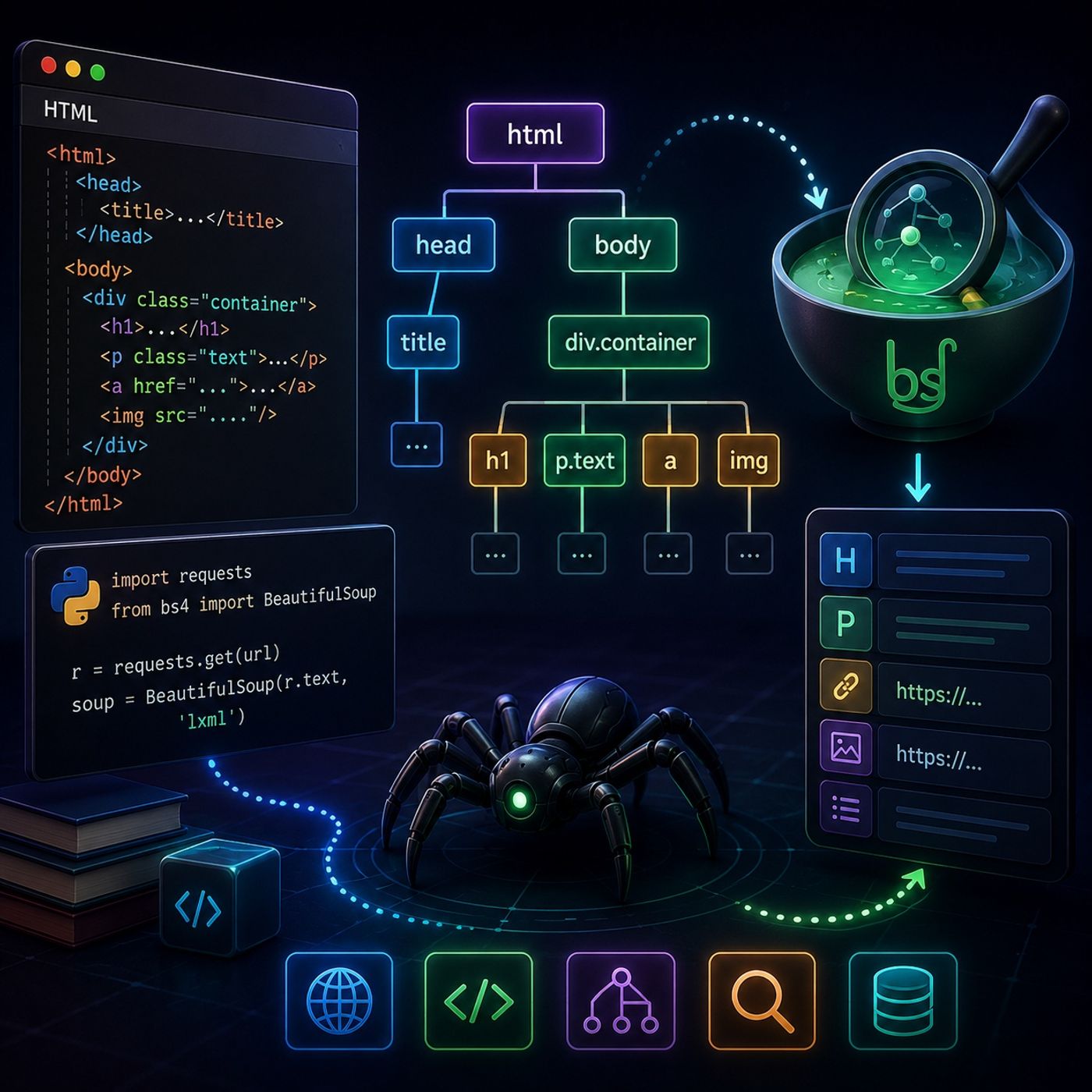
Course 40 - Web Scraping with Python | Episode 10: Navigating and Extracting Web Data with Beautiful Soup
About this episode
This episode teaches how to navigate and extract web data using Beautiful Soup in Python.
In this lesson, you’ll learn about: how HTML is structured as a tree, how to turn raw pages into navigable data using Beautiful Soup, and how to extract specific elements efficiently1. Understanding the HTML Parse Tree🔹 The Structure of a Web PageEvery web page is a hierarchical tree made of nodes: Root → Children → and Siblings → elements at the same level 🔹 Key Sections → metadata (title, scripts, styles) → visible content 👉 Key Insight Scraping is really about navigating this tree intelligently2. Turning HTML into Data (Beautiful Soup)🔹 The Core ToolUse Beautiful Soup Converts raw HTML → structured Python object Makes navigation simple and readable 🔹 Why It’s Powerful Handles messy HTML Supports multiple parsers Easy to search and extract 3. Choosing the Right Parser🔹 Available ParsersParserStrengthlxmlFast and efficienthtml5libHandles broken HTML🔹 When to Use Each Use lxml → performance Use html5lib → unreliable or malformed pages 👉 Pro Insight Real-world pages are often messy → parser choice matters4. From Request to Parsed Tree🔹 Workflow Overview Send HTTP request Receive HTML Parse with Beautiful Soup Navigate and extract 🔹 Example Setupimport requests from bs4…
More episodes of CyberCode Academy
- Course 40 - Web Scraping with Python | Episode 11: Advanced Filtering and Efficient Extraction with BeautifulSoup
- Course 40 - Web Scraping with Python | Episode 9: Navigating Requests, Redirects, and Timeouts
- Course 40 - Web Scraping with Python | Episode 8: Mastering HTTP and Python Client Libraries
- Course 40 - Web Scraping with Python | Episode 7: Overcoming the JavaScript Challenge
- Course 40 - Web Scraping with Python | Episode 6: From Scrapy Framework Foundations to Professional Spiders
- Course 40 - Web Scraping with Python | Episode 5: From Environment Setup to Pandas DataFrames
Explore listener stats, chart rankings, contacts and more on the CyberCode Academy podcast page.