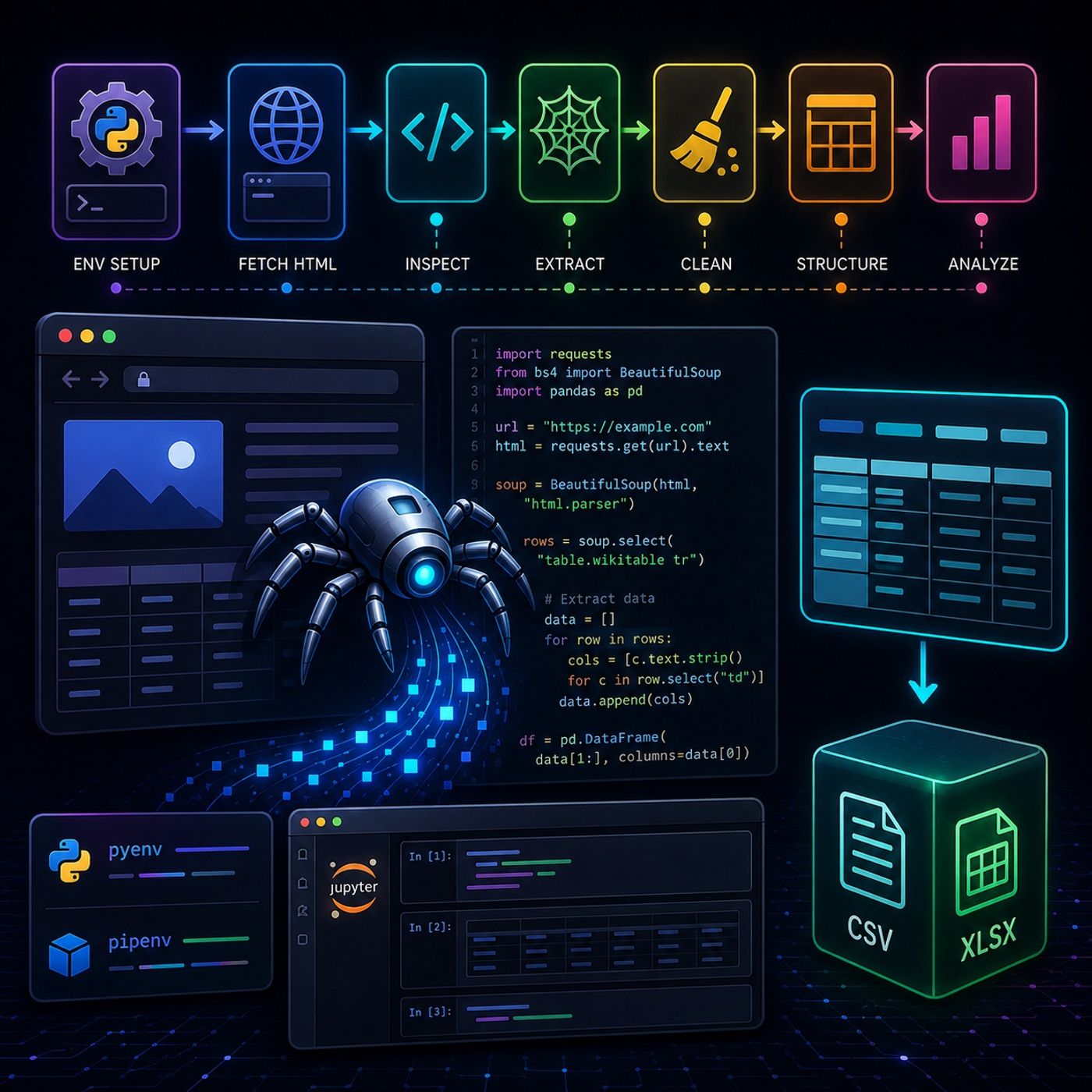
Course 40 - Web Scraping with Python | Episode 5: From Environment Setup to Pandas DataFrames
About this episode
This episode covers setting up a Python web scraping environment and extracting data from HTML using BeautifulSoup and pandas.
In this lesson, you’ll learn about: setting up a professional Python scraping environment, extracting web data step-by-step, and transforming raw HTML into structured datasets1. Setting Up Your Development Environment🔹 Python Version ManagementUse pyenv Install and switch between Python versions بسهولة Avoid compatibility issues across projects 🔹 Virtual Environments & DependenciesUse pipenv Create isolated environments Manage dependencies like: requests BeautifulSoup4 pandas 👉 Key Insight Clean environment = fewer bugs + reproducible projects🔹 Interactive DevelopmentUse JupyterLab Run code in cells step-by-step Inspect outputs instantly Explore files and HTML visually 2. Downloading & Inspecting Web Content🔹 Fetching HTML PagesUse Requestsimport requests url = "https://example.com" response = requests.get(url) html = response.text 🔹 Why Save Locally? Work offline Avoid repeated requests Debug faster 🔹 Inspecting the PageUse: JupyterLab HTML viewer Browser DevTools (Elements tab) 👉 Goal: Locate the exact HTML structure of your target data (e.g., tables, divs)3. Extracting Data with BeautifulSoup🔹 Parsing HTMLUse BeautifulSoupfrom bs4 import BeautifulSoup soup =…
More episodes of CyberCode Academy
- Course 40 - Web Scraping with Python | Episode 11: Advanced Filtering and Efficient Extraction with BeautifulSoup
- Course 40 - Web Scraping with Python | Episode 10: Navigating and Extracting Web Data with Beautiful Soup
- Course 40 - Web Scraping with Python | Episode 9: Navigating Requests, Redirects, and Timeouts
- Course 40 - Web Scraping with Python | Episode 8: Mastering HTTP and Python Client Libraries
- Course 40 - Web Scraping with Python | Episode 7: Overcoming the JavaScript Challenge
- Course 40 - Web Scraping with Python | Episode 6: From Scrapy Framework Foundations to Professional Spiders
Explore listener stats, chart rankings, contacts and more on the CyberCode Academy podcast page.