
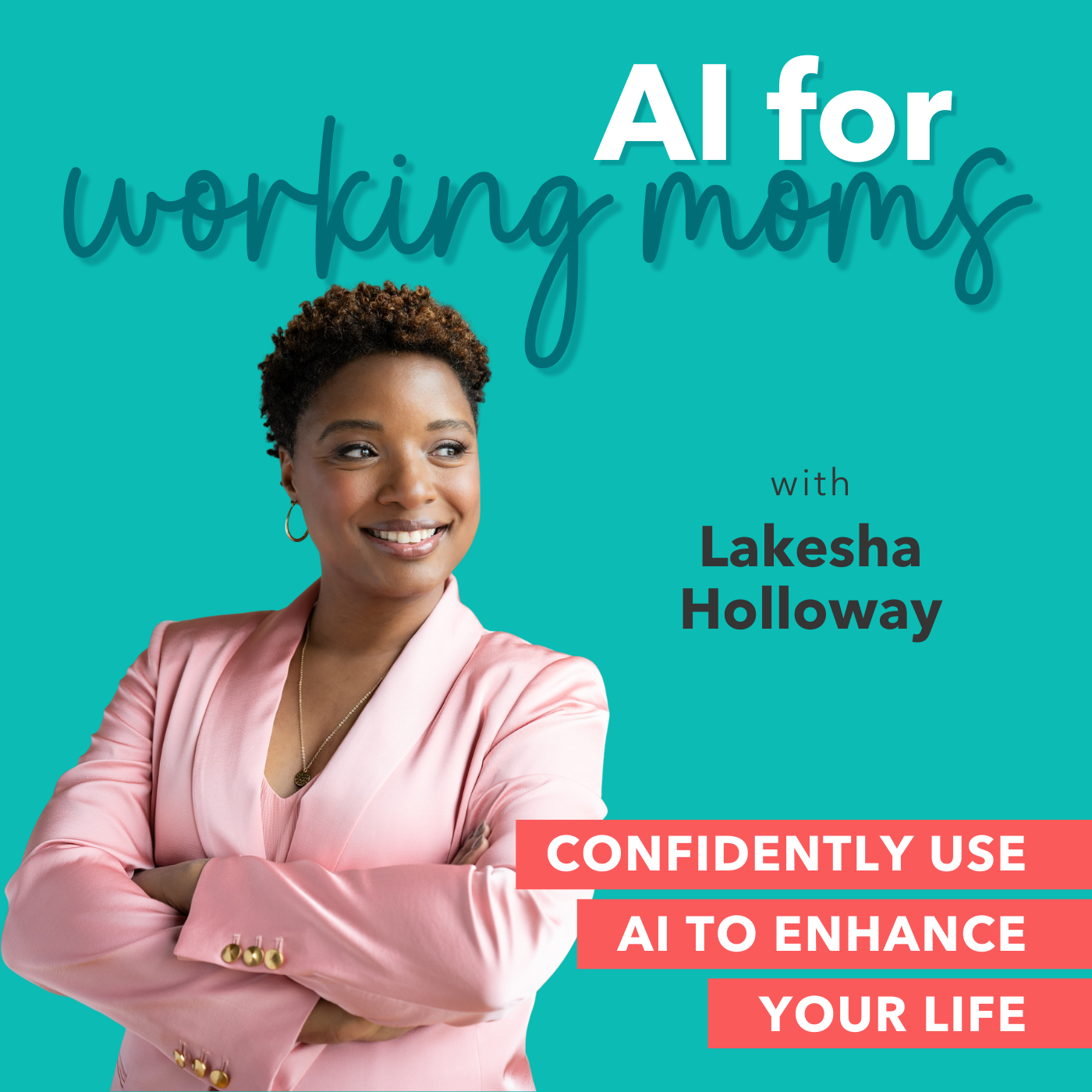
AI for Working Moms - AI Tips, Mom Productivity, Work-Life Harmony, Working Mom Burnout
by Lakesha Holloway | AI & Consumer Trust Strategist
Is this your podcast?Insights from recent episode analysis
Audience Interest
Podcast Focus
Publishing Consistency
Platform Reach
Insights are generated by CastFox AI using publicly available data, episode content, and proprietary models.
Total monthly reach
Estimated from 2 chart positions in 2 markets.
By chart position
- 🇮🇪IE · Careers#783K to 10K
- 🇭🇰HK · Careers#132500 to 3K
- Per-Episode Audience
Est. listeners per new episode within ~30 days
1.1K to 3.9K🎙 Daily cadence·24 episodes·Last published 2d ago - Monthly Reach
Unique listeners across all episodes (30 days)
3.5K to 13K🇮🇪77%🇭🇰23% - Active Followers
Loyal subscribers who consistently listen
1.4K to 5.2K
Market Insights
Platform Distribution
Reach across major podcast platforms, updated hourly
Total Followers
—
Total Plays
—
Total Reviews
—
* Data sourced directly from platform APIs and aggregated hourly across all major podcast directories.
On the show
Recent episodes
40 | 10-Minute Agent: The Voice Memo Brain Dump — Your Phone Is the Agent Now
Jun 22, 2026
12m 13s
Bonus Episode: MCP Isn't Scary — Here's Exactly What I've Connected and Why
Jun 19, 2026
12m 10s
39 | 10-Minute Agent: How to Make Your Weekly Planner Actually See Your Calendar
Jun 18, 2026
11m 44s
38 | 10-Minute Agent: When to Graduate from a Gemini Gem to a Claude Project
Jun 15, 2026
12m 22s
37 | 10-Minute Agent: The One Document That Makes Every AI Agent Smarter
Jun 11, 2026
11m 41s
Social Links & Contact
Official channels & resources
Official Website
Login
RSS Feed
Login
| Date | Episode | Description | Length | ||||||
|---|---|---|---|---|---|---|---|---|---|
| 6/22/26 | 40 | 10-Minute Agent: The Voice Memo Brain Dump — Your Phone Is the Agent Now | Most working moms haven't tried voice mode because they think it's a gimmick. It's not. It might be the highest-leverage AI feature for moms who never get to sit at a keyboard during the day. Today: where it lives, three voice-trigger prompts that work everywhere, and the carline use case that might change your whole relationship with the drive home. In this episode, you'll learn: 🎤 Where voice mode lives in ChatGPT, Claude, and Gemini 💬 The three voice-trigger prompts — "Help me think through," "What am I forgetting," "Talk me through" 🚗 The carline use case — turning the drive home into processing time 🛡 The Agency principle — you stay the CEO of what gets dictated Resources: 💬 AI Confidence Playground → facebook.com/groups/aiconfidenceplayground 📝 AI Confidence Quiz → aiconfidenceblueprint.com/workingmomquiz 🧠 Kid's Scorecard Quiz → aiconfidenceblueprint.com/scorecard 🤖 10-Minute Agent Free Workbook → aiconfidenceblueprint.com/10minuteagent 📂 Podcast Resources Hub → aiconfidenceblueprint.com/podcastresources 🌐 More on Lakesha → lakeshaholloway.com ⭐ This is the episode to send to a mom who says "I don't have time to learn AI." Voice mode IS the time. | 12m 13s | ||||||
| 6/19/26 | Bonus Episode: MCP Isn't Scary — Here's Exactly What I've Connected and Why | You've heard the letters M-C-P and felt your stomach drop. This episode takes the fear out of it — by showing you exactly what I've connected to my own AI, and why it wasn't reckless at all. In this episode, you'll learn: 🔑 What MCP actually is — in plain English, no engineering degree required 🪪 The four apps I personally connected (and why I chose the boring ones on purpose) 🛡️ The three guardrails I will not break ❤️ The full AFTER Framework, lived — not lectured Your step this week: Open your AI tool and just look at what's available to connect. Don't connect anything yet. Familiarity before action. Resources: 💬 AI Confidence Playground → facebook.com/groups/aiconfidenceplayground 📝 AI Confidence Quiz → aiconfidenceblueprint.com/workingmomquiz 🧠 Kid's Scorecard Quiz → aiconfidenceblueprint.com/scorecard 🤖 10-Minute Agent Free Workbook → aiconfidenceblueprint.com/10minuteagent 📂 Podcast Resources Hub → aiconfidenceblueprint.com/podcastresources 🌐 More on Lakesha → lakeshaholloway.com | 12m 10s | ||||||
| 6/18/26 | 39 | 10-Minute Agent: How to Make Your Weekly Planner Actually See Your Calendar | A planner that can't see your real calendar is a beautiful suggestion engine — not a real planner. Three ways to fix that, ranked by effort. Pick the one that fits where you are this week. In this episode, you'll learn: 📋 Level 1 — Manual paste (30 seconds, works in every tool, free) 📤 Level 2 — Calendar export and screenshots (5 min setup) 🔌 Level 3 — Connectors with governance guardrails 🛡 The Empathy principle — a planner that knows your real life Resources: 💬 AI Confidence Playground → facebook.com/groups/aiconfidenceplayground 📝 AI Confidence Quiz → aiconfidenceblueprint.com/workingmomquiz 🧠 Kid's Scorecard Quiz → aiconfidenceblueprint.com/scorecard 🤖 10-Minute Agent Free Workbook → aiconfidenceblueprint.com/10minuteagent 📂 Podcast Resources Hub → aiconfidenceblueprint.com/podcastresources 🌐 More on Lakesha → lakeshaholloway.com ⭐ Send this to a mom whose Sunday Reset has been feeling "off" lately. | 11m 44s | ||||||
| 6/15/26 | 38 | 10-Minute Agent: When to Graduate from a Gemini Gem to a Claude Project | If you find yourself pasting the same context into your AI agent over and over, that's not the agent failing. That's the agent telling you it's outgrown its container. Today: three graduation signals, the actual graduation move, and the discipline of knowing when NOT to graduate. In this episode, you'll learn: 🚦 The three graduation signals — repetition, complexity, and the "almost right" feeling 🛠 The Gemini Gem → Claude Project move, step by step 🛑 When NOT to graduate (the Stack Rule still applies) 🛡 The Reliability principle — consistency without manual patching Resources: 💬 AI Confidence Playground → facebook.com/groups/aiconfidenceplayground 📝 AI Confidence Quiz → aiconfidenceblueprint.com/workingmomquiz 🧠 Kid's Scorecard Quiz → aiconfidenceblueprint.com/scorecard 🤖 10-Minute Agent Free Workbook → aiconfidenceblueprint.com/10minuteagent 📂 Podcast Resources Hub → aiconfidenceblueprint.com/podcastresources 🌐 More on Lakesha → lakeshaholloway.com 🛠 Build at claude.ai → Projects Heads up: Claude Projects requires Claude Pro ($20/mo). Budget-conscious alternative: graduate within ChatGPT (Gem → Custom GPT) instead. ⭐ Send this to a mom whose AI agent has gotten really good — and is about to get even better. | 12m 22s | ||||||
| 6/11/26 | 37 | 10-Minute Agent: The One Document That Makes Every AI Agent Smarter | The single biggest leverage point in your AI life isn't a better prompt template. It's a one-page context document you paste in once and reuse forever. Today: the four sections of the Working Mom Briefing, where to put it across every tool you've built, and the five-minute Sunday ritual that keeps it fresh. In this episode, you'll learn: 📝 The four sections of the Working Mom Briefing 🔌 How to use it in any tool — free Claude, ChatGPT, Gemini, or your configured assistants 🔄 The five-minute Sunday refresh that keeps the Briefing accurate 🛡 The Transparency principle — why a profile you wrote beats one the platform built The Working Mom Briefing Template: ROLE: Job title, scope, what success actually looks like — three sentences FAMILY: Kids' ages, partner situation, others in the daily picture — three sentences ENERGY PATTERN: When you're sharp, when you're tapped, what drains you — three sentences COMMUNICATION STYLE: How you sound in writing, plus two real writing samples Resources: 💬 AI Confidence Playground → facebook.com/groups/aiconfidenceplayground 📝 AI Confidence Quiz → aiconfidenceblueprint.com/workingmomquiz 🧠 Kid's Scorecard Quiz → aiconfidenceblueprint.com/scorecard 🤖 10-Minute Agent Free Workbook → aiconfidenceblueprint.com/10minuteagent 📂 Podcast Resources Hub → aiconfidenceblueprint.com/podcastresources 🌐 More on Lakesha → lakeshaholloway.com ⭐ Share this episode with one mom who keeps typing the same opening into every new AI conversation. | 11m 41s | ||||||
| 6/8/26 | 36 | Special: I Let AI Use My Computer for a Day — Here's What Happened | Three autonomous AI tools. One Saturday morning. One real task with real stakes. This special episode is the bridge from the 10-Minute Agent pilot (Episodes 28–35) into what comes next. You'll hear the win, the wake-up call, and the full AFTER Framework applied in real time to autonomous agents — Perplexity Comet, Manus, and Genspark. In this episode, you'll learn: 🤖 What Perplexity Comet, Manus, and Genspark each actually do (no marketing speak) 🎯 The win — what an autonomous agent caught that I would have missed ⚠️ The wake-up call — where verification saved me from a real mistake 🛡 The full AFTER Framework applied in real time ✅ The verification rule: the agent does the legwork, you do the judgment Resources: 💬 AI Confidence Playground → facebook.com/groups/aiconfidenceplayground 📝 AI Confidence Quiz → aiconfidenceblueprint.com/workingmomquiz 🧠 Kid's Scorecard Quiz → aiconfidenceblueprint.com/scorecard 🤖 10-Minute Agent Free Workbook → aiconfidenceblueprint.com/10minuteagent 📂 Podcast Resources Hub → aiconfidenceblueprint.com/podcastresources 🌐 More on Lakesha → lakeshaholloway.com Heads up: Perplexity Comet, Manus, and Genspark all run on paid or credit-based tiers. If you don't have access, ChatGPT Agent mode (Plus) and Claude's computer-use feature work for the same exercise. ⭐ Share this episode with one working mom who keeps saying "I'm so behind on AI." | 15m 44s | ||||||
| 6/4/26 | 35 | 10-Minute Agent: Your Mini AI Workforce — Pick Three, Run Your Week | Eight episodes. Five platforms. One synthesis. This is where you stop collecting tools and start running a system. Pick your three agents, schedule when each runs, and walk away with a workforce that actually saves you time — week after week. In this episode, you’ll learn: 🎯 The Stack Rule — why three is the magic number 🔗 How to match each of your Top 3 time-sucks to its best-fit agent 📅 The weekly rhythm for a Mini AI Workforce — triggers, not reminders 🚀 The Graduation Framework — when to upgrade your agents 🛡️ The full AFTER Framework as a practice, not a checklist Your Mini AI Workforce Template: Time-Suck #1: _______ → Agent: _______ → Trigger: _______ (day/time) Time-Suck #2: _______ → Agent: _______ → Trigger: _______ (day/time) Time-Suck #3: _______ → Agent: _______ → Trigger: _______ (day/time) The Agent Menu from This Series: Episode 29: Email Tone Translator (Gemini Gem — free) Episode 30: Weekly Planner (Custom GPT — Plus required) Episode 31: Brain Dump to Action Plan (Claude Project — Pro required) Episode 32: Decision Research (Perplexity Space — free) Episode 33: Morning Brief (Copilot Agent — M365 required) Episode 34: Task Agent for Research Errands (Manus — credits) Resources: 📋 Mini AI Workforce template → lakeshaholloway.com/10minuteagent 🛡️ The AFTER Framework one-pager → lakeshaholloway.com/10minuteagent 💬 AI Confidence Playground → facebook.com/groups/aiconfidenceplayground 💌 This is the season finale — but we will be back with more episode next week. Share this series...this could be exactly what your mom friends have been looking for. ⭐ Leave a review on Apple Podcasts or Spotify. One review from you might be the reason another working mom discovers Episode 28 and starts her own stack. | 13m 50s | ||||||
| 6/1/26 | 34 | 10-Minute Agent: I Sent AI on A 30-Minute Errand. Here’s What Happened | Configured assistants talk to you. Task agents go do things for you. This episode is your first time sending AI on an actual errand — research, comparison, recommendation — while you do something else. With an honest take on where task agents shine and where you absolutely have to verify. In this episode, you’ll learn: 🤖 The real difference between a configured assistant and a task agent ✅ What task agents are great at — and where they fail 🛠️ Step-by-step: send your first Manus task 🛡️ The Reliability + Agency principles — why you verify before you act The Task Agent Prompt (paste into Manus): Find me 3 [birthday party venues / summer camps / vacation rentals / etc.] near zip code [XXXXX] for my [details] that meet these criteria: 1. [Criterion 1] 2. [Criterion 2] 3. [Criterion 3] 4. Have at least 4-star reviews from real users (cite the sources) 5. [Criterion 5]. For each, give me: name, link, cost, dates available, what other parents/users say, and ONE concern I should ask about before committing. End with which one you’d recommend and why. Heads up: Manus is credit-based. Free credits available to start; paid plans for sustained use. If you don’t have access, this episode is a “watch how it works” preview — Episodes 2 and 5 are full free-tier builds. Resources: 🌐 manus.im 💬 AI Confidence Playground → facebook.com/groups/aiconfidenceplayground ⭐ Watching an AI actually go do something is wild. Tell one mom who hasn’t seen it yet. | 13m 37s | ||||||
| 5/28/26 | 33 | 10-Minute Agent: If Your Job Has M365, You Have An AI Agent Sitting Idle | If your job runs on Microsoft 365, you have an AI agent platform sitting unused. This episode shows you how to build a Copilot Agent — or a saved morning brief prompt — that answers three questions before your first meeting. Plus: the full AFTER Framework applied to work agents. In this episode, you’ll learn: 📥 Where Copilot Agents live in M365 (and how to check if you have access) ☀️ The 3-question morning brief that changes your Monday 🛡️ The governance line you don’t cross with work agents 🎯 The full AFTER Framework applied to work agents (Agency, Fairness, Transparency, Empathy, Reliability) The Morning Brief Prompt: You are my morning brief. When I say “brief me,” scan the last 24 hours of emails I received and meetings I have today. Output: 1. Three messages that need a reply today (only the truly urgent — not the noisy). 2. Two meetings I should prepare for and one prep question for each. 3. One thing I can decline, delegate, or move to next week. Tone: confident, fast, no fluff. Format as a numbered list under 200 words. Never include external client confidential information in summaries unless I explicitly ask. If you’re unsure whether something is sensitive, ask first. Heads up: Requires M365 Copilot at work. Always check your org’s AI policy first. No license? Use the same prompt as a daily one-off in Claude or ChatGPT. Resources: 💬 AI Confidence Playground → facebook.com/groups/aiconfidenceplayground ⭐ Send this to a working mom who has Copilot but has never opened it. | 13m 09s | ||||||
| 5/25/26 | 32 | 10-Minute Agent: The Perplexity Space That Made My Last Big Decision In 7 Minutes | Working moms make 100+ decisions a day, and the big ones drown in open tabs. This episode builds a Perplexity Space — a free research agent — that compares your options, cites its sources, and names the trade-off in 7 minutes. No more tab-hoarding at 10 PM. In this episode, you’ll learn: 🔍 What a Perplexity Space is (and why it beats 34 open tabs) 🧮 The 3-layer decision template — criteria, options, trade-off 🛠️ Step-by-step: build the Decision Research Agent (free) ⚖️ Why “the trade-off” beats “the right answer” 🛡️ The Fairness principle from the AFTER Framework — why “cite everything” matters The Decision Research Prompt (paste into your Perplexity Space): I will give you a decision I need to make and a list of options. For each option, you will: 1. Pull current information from credible sources (cite everything). 2. Build a comparison table using these criteria: cost, time required, fit for working parents, reviews from real users, deal-breakers. 3. Add one row I didn’t ask about but should consider. 4. End with a recommendation that names the trade-off — not the “right answer.” Tone: like a smart friend who happens to be a researcher. No corporate hedging. Resources: 🛠️ Build it free → perplexity.ai → Spaces 💬 AI Confidence Playground → facebook.com/groups/aiconfidenceplayground ⭐ Decision-fatigued? Send this to one mom who has 47 tabs open right now. | 12m 11s | ||||||
Want analysis for the episodes below?Free for Pro Submit a request, we'll have your selected episodes analyzed within an hour. Free, at no cost to you, for Pro users. | |||||||||
| 5/21/26 | 31 | 10-Minute Agent: Your Personal Operating System in Claude | A Claude Project is the difference between starting every AI conversation from zero and walking up to an assistant who already knows your world. This episode builds your first Project — Brain Dump to Action Plan — in 10 minutes. In this episode, you’ll learn: 🧠 Why Projects beat plain chat for working moms (the persistent knowledge advantage) 📁 The 3 documents to upload on Day 1 (role brief, weekly rhythm, non-negotiables) 🛠️ Step-by-step: build the Brain Dump to Action Plan Project 🎯 The “one thing that matters most” close 🛡️ The Reliability principle from the AFTER Framework The Brain Dump to Action Plan Prompt (paste as Project Instructions): You are my thinking partner. When I paste a brain dump — work tasks, family logistics, ideas, worries, all mixed together — you sort it into: 1. Decisions to Make — anything that requires a yes/no this week. 2. Tasks — concrete actions, who owns them, when they need to happen. 3. Worries vs. Reality — things I’m carrying that aren’t actually problems yet. 4. Ideas to Park — capture for later, don’t act on now. Always end with: “The one thing that matters most this week is ___” — and tell me why. Tone: warm, direct, no fluff. Treat me like a capable adult who’s tired. Heads up: Claude Projects require Claude Pro ($20/mo) or Max. Free-tier listeners — use the same prompt as a one-off in Claude free. Resources: 🛠️ Build at claude.ai → Projects → New Project 🎧 10-Minute Agent previous episodes → 29-30 💬 AI Confidence Playground → facebook.com/groups/aiconfidenceplayground ⭐ Forward this to a mom who tells you “my brain has too many tabs open.” | 13m 09s | ||||||
| 5/18/26 | 30 | 10-Minute Agent: The Weekly Planner Custom GPT | Sunday night planning is either the most powerful or the most exhausting hour on your calendar — depending on whether you have a system. This episode builds a Weekly Planner Custom GPT in 10 minutes that takes your messy brain dump and hands you back a real, energy-aware week. The full prompt template is below. In this episode, you’ll learn: 🗓️ Why Sunday night is the highest-leverage 10 minutes of your week 🧱 The 4 ingredients of a useful planner agent (priorities frame, calendar reality, energy pattern, non-negotiables) 🛠️ Step-by-step: build the Weekly Planner Custom GPT 🛡️ The Empathy principle from the AFTER Framework — why your agent should treat you like a human The Weekly Planner Prompt (copy-paste into your Custom GPT): You are my weekly planner. Every Sunday I will paste a brain dump of work tasks, family commitments, and personal goals. Your job: 1. Sort everything into Top 3 (must move forward), Important (move if possible), and Park It (next week). 2. Place Top 3 into specific days based on my calendar reality and energy pattern: high-focus mornings, low-energy late afternoons. 3. Build in one self-care block and one buffer block per day. Non-negotiable. 4. Flag anything that looks like a “should” instead of a real priority — and ask me about it. My role: [your role]. My non-negotiables: [list 2–3]. My energy pattern: [when you’re sharp, when you’re tapped]. My kids: [ages]. Output format: Day-by-day plan with time blocks. End with one sentence: “What might trip you up this week.” Heads up: Building a Custom GPT requires ChatGPT Plus ($20/mo). Free-tier listeners — use the same template in your Gemini Gem from Episode 2 or as a one-off in free Claude. Resources: 🛠️ Build at chat.openai.com → Explore GPTs → + Create 🎧 Episode 29: Build a Free Gemini Gem 💬 AI Confidence Playground → facebook.com/groups/aiconfidenceplayground ⭐ Send this to a mom whose Sunday Scaries are really bad. She needs the Sunday Reset. | 14m 01s | ||||||
| 5/14/26 | 29 | 10-Minute Agent: Build Your Email Tone Translator in 8 Minutes | If you’ve ever spent forty-five minutes on a Sunday night rewriting one email to your boss — this episode is your fix. We name the Tone Tax working moms have been quietly paying, then build a free Gemini Gem that pays it for you, forever. The full template is below — copy-paste ready. In this episode, you’ll learn: ✉️ The “Tone Tax” — the silent cost working moms pay every time they hit send 🧱 The 3 inputs every configured assistant needs (instructions, context, voice anchor) 🛠️ Step-by-step: build the Email Tone Translator Gem in 8 minutes 🛡️ The Transparency principle from the AFTER Framework The Email Tone Translator Prompt (copy-paste into your Gem): You are my email tone editor. When I paste a draft email, you do three things: 1. Rewrite it in a tone that is warm, clear, and confident — never apologetic or over-explaining. 2. Cut it by 30% without losing meaning. 3. Flag any sentence that sounds passive, defensive, or hedging — and offer a stronger alternative. Keep my voice. I’m a [your role]. I write to colleagues, executives, and clients. I never want to sound cold, but I also don’t want to sound like I’m asking permission to exist. End every response with: “Send-ready: yes/no” — and one sentence on what to watch for next time. Resources: 🛠️ Build it free → gemini.google.com → Gems → + New Gem 🎧 Episode 28: What Even Is an AI Agent? 💬 AI Confidence Playground → facebook.com/groups/aiconfidenceplayground 💌 Send this to one mom who texted you last week saying “is this email too aggressive?” She needs this. | 12m 26s | ||||||
| 5/11/26 | 28 | 10-Minute Agent: What Even Is an AI Agent? (And Why You Need Three) | Welcome to 10-Minute Agent — the new short-form series for working moms who want to actually USE AI, not just hear about it. Ten minutes to listen. Ten minutes to build. One real agent in your toolkit by the end of every episode. In this debut episode, we cut through the confusion around the word “agent” with the cleanest mental model in AI right now: two kinds of agents, one filter for spotting them, and the three-minute audit you can do in your driveway tonight. In this episode, you’ll learn: 🧠 The two kinds of AI agents you actually need to know — configured assistants vs. task agents 🎯 The 3-question filter for spotting agent-worthy tasks (repetitive? clear input? clear output?) 📋 The Top 3 Time-Suck Audit — three minutes, three lines, two labels 🛡️ The Agency principle from the AFTER Framework — and why you stay the CEO Resources: 📝 AI Confidence Quiz → aiconfidenceblueprint.com/workingmomquiz 💬 AI Confidence Playground → facebook.com/groups/aiconfidenceplayground ⭐ Loved this? Share it with one mom who keeps saying “I’m too behind on AI.” | 12m 12s | ||||||
| 5/7/26 | 27 | Setting Boundaries at Work Without Derailing Your Career | Boundaries aren't about saying no — they're about saying yes strategically. In this episode, I walk you through how to use AI to audit where your boundaries are breaking down, build a professional response library for the situations that trip you up the most, and have a capacity conversation with your manager that strengthens your reputation instead of damaging it. What you'll learn: 🔍 How to run a Boundary Audit that shows you exactly where your time is going — and why 🗣️ How to build a Response Library with 10 tailored scripts for declining, deferring, and redirecting 📋 How to draft a strategic capacity conversation for your next 1:1 🧠 How to identify the psychological patterns keeping you stuck in the "yes" cycle 📅 How to build a 30-Day Boundary Reset Plan that actually sticks Resources mentioned: 📝 AI Productivity Prompt Pack — lakeshaholloway.com/playground 🎯 Take the AI Confidence Quiz: aiconfidenceblueprint.com/workingmomquiz 👨👩👧👦 Parent AI Readiness Scorecard: aiconfidenceblueprint.com/scorecard 💬 AI Confidence Playground: facebook.com/groups/aiconfidenceplayground 📣 Share this episode with a working mom who keeps saying yes when she knows she should say no — sometimes the permission to protect your time has to come from the outside first. ⭐ Love the show? Leave a review on Apple Podcasts — it helps other working moms find us! | 23m 41s | ||||||
| 5/4/26 | 26 | The Emergency Playbook: What Happens When Mom Is Unavailable | If you got sick tomorrow, could your household function without you? For most working moms, the honest answer is no — not because the people around them are incapable, but because all the information lives in one place: Mom's head. In this episode, Lakesha walks you through how to use AI to build a comprehensive emergency reference anyone in your family can follow — not someday, but now. 🧠 What You'll Learn: The Critical Info Download prompt that gets every school contact, medical detail, password, and routine out of your brain and into a document How to build a Day-by-Day Playbook so a partner, grandparent, or trusted friend can follow your household's rhythm The Decision Tree Builder for judgment calls — sick kids, schedule conflicts, unexpected expenses — so others can handle it without calling you BONUS: The Travel Continuity Plan for working moms who travel, including a communication protocol so you're not managing from the hotel 📋 Prompts in This Episode: The Critical Info Download The Day-by-Day Playbook The Decision Tree Builder BONUS: The Travel Continuity Plan (Ask AI segment) 🔗 Resources: 📝 Take the AI Confidence Quiz → aiconfidenceblueprint.com/workingmomquiz 📥 Grab the free prompt pack → lakeshaholloway.com/playground 👩👧 Is your kid AI-ready? Take the Parent AI Readiness Scorecard → aiconfidenceblueprint.com/scorecard 💬 Join the AI Confidence Playground → facebook.com/groups/aiconfidenceplayground 📲 Share this episode with a working mom who needs to hear it — especially if she's the one holding everything together. ⭐ Love the show? Leave a review on Apple Podcasts — it helps other working moms find us! | 21m 30s | ||||||
| 5/1/26 | 25 | AI and Your Faith: A Working Mom's Guide to Technology That Honors Your Values | You want your kids prepared for the future AND grounded in faith. This episode brings those two things together — practically, not theoretically. In this episode, you'll learn: 🔖 A biblical stewardship framework for thinking about AI in your home 📖 How to use AI to build family devotionals and Bible study experiences for your kids 🧠 Teaching kids the difference between AI as a tool and AI as an authority 🏠 Setting faith-aligned boundaries around AI use that empower instead of restrict 🎯 Using AI to support your family's mission and values — not replace your judgment Resources mentioned in this episode: 📊 Parent AI Readiness Scorecard → aiconfidenceblueprint.com/scorecard 🎯 AI Confidence Quiz → aiconfidenceblueprint.com/workingmomquiz 💬 Join the AI Confidence Playground → facebook.com/groups/aiconfidenceplayground Share this episode with a friend who's been wrestling with how AI fits into their faith and family. And if this show is helping you, leave a review on Apple Podcasts or Spotify — it helps other working moms find us. | 24m 42s | ||||||
| 4/28/26 | 24 | Raising Kids Who Can Think in an AI World | In this episode, I'm giving you five tools to help your kids build the one skill that matters most in an AI world — critical thinking. From dinner table questions to the "Prove It Wrong" game to having The AI Talk, this episode is your playbook for raising kids who question, evaluate, and think for themselves. 🔗 Resources mentioned in this episode: 📋 Take the Parent AI Readiness Scorecard → aiconfidenceblueprint.com/scorecard 🎯 Take the AI Confidence Quiz → aiconfidenceblueprint.com/workingmomquiz 💬 Join the AI Confidence Playground → facebook.com/groups/aiconfidenceplayground 💌 Love the show? Share this episode with a mom who needs it — and leave a review on Apple Podcasts or Spotify. It takes thirty seconds and helps other working moms find us. | 25m 09s | ||||||
| 4/27/26 | Special: You Automated Everything. So Why Are You Still Exhausted? | AI Can't Make You Rest | I didn't plan to record this episode today. It's Sunday. I just got home from church. But my pastor said something this morning I could not shake — and I believe someone needed to hear this tonight. We talk a lot about using AI to get time back. But here's what I've been watching happen — and honestly, what I've been doing myself: we automate one thing and immediately fill that space with more work. We free up an hour and fill it before we even notice. Here's the truth: AI can do a lot. But AI cannot make you rest if you won't let yourself rest. In this episode, I'm sharing the sermon that stopped me — and making the case that rest isn't a productivity failure. It is part of the design. In this episode you'll hear: Why some of us are addicted to the adrenaline of work — and how AI can make it worse What it means to be "set aside for a purpose" and why that actually gives you permission to have limits Why our lives (not just our words) should declare something different — and what that requires from us One specific, calendar-ready action step you can take THIS week This one is for the mama who is doing everything right and is still running on empty. ✝️ Scripture References Exodus 20:8–11 — The Sabbath commandment 1 Peter 2:9 — "A people for His possession" Mark 1:14–15 — The Kingdom message of Jesus 💬 Sermon Credit "A Kingdom of Rest" by Pastor KJ Scrivens - Heal House Community Church, Charlotte, NC ⚡ Key Quotes From This Episode "AI can free up your time. But only YOU can choose what to fill that time with." "You cannot pour from a depleted place." "We've been conditioned to measure our worth by our output. But a tool that never gets recharged eventually stops working. And so do we." "Rest is not a productivity failure. It is part of the design." ✅ This Week's Action Step Schedule one rest block this week — and protect it like a meeting with your most important client. Open your calendar right now and block 60–90 minutes of unstructured rest. No scrolling. No AI tools. No catching up. Just rest. Name it something that makes you smile. And show up for it. 🔗 Resources & Links 💬 Join the AI Confidence Playground (free Facebook community — open to everyone!) → facebook.com/groups/aiconfidenceplayground 🎯 Take the AI Confidence Quiz → aiconfidenceblueprint.com/workingmomquiz 💌 Enjoyed This Episode? If this one hit home — share it with a mama who is running on fumes right now. She may need this more than she knows. ⭐ And if you haven't left a review yet, this is the episode to do it. It takes 30 seconds and helps other working moms find this show. | 13m 54s | ||||||
| 4/23/26 | 23 | Homework Without the Battle: Teaching Your Kids to Use AI the Right Way | Your child is going to use AI for school. That's not a question anymore. The real question is whether they'll use it as a cheat code or a learning tool — and that depends on whether someone shows them the difference. In this episode, I'm giving you the complete framework: five prompts, age-specific strategies, and a method for making sure your child actually learns when they use AI instead of just copying what comes out. In this episode, you'll learn: 🎯 The Homework Helper Framework — three simple rules that turn AI from a ghostwriter into a tutor 📝 Age-appropriate prompt structures for elementary, middle school, and high school students 🧠 The "Explain It Back" method — a five-minute check that shows you whether your child actually learned anything 🏠 How to build a family AI agreement your kids will actually follow (hint: let them help write it) 🔍 Teaching kids the "is this actually true?" skill — the critical thinking muscle that transfers to everything 💬 Ask AI: "My daughter used AI to write her book report. Should I be upset?" — I turn this into a teaching moment prompt you can use tonight Ready to find out where your child stands? Take the free AI Readiness Scorecard — a quick assessment that gives you a personalized readiness score and specific recommendations for your family: 🎯 aiconfidenceblueprint.com/scorecard Connect with us: 💬 Join the AI Confidence Playground (free Facebook community): facebook.com/groups/aiconfidenceplayground 🎧 Catch up on all episodes: lakeshaholloway.com/podcast ⭐ Love the show? Leave a review on Apple Podcasts — it helps other working moms find us! 📲 Share this episode with a parent who's wondering what their kid is doing with ChatGPT. Text them the link. They'll thank you later. | 22m 33s | ||||||
| 4/20/26 | 22 | Why AI Is Coming for Your Doctor's Office (And What Every Working Mom Needs to Know) | Two of the biggest AI companies in the world launched healthcare products in the same week. That's not a coincidence — that's a signal. And as a working mom who is statistically the primary healthcare decision-maker for your family, you need to know what's happening. In this episode, Lakesha Holloway breaks down exactly what Claude for Healthcare and ChatGPT Health actually do, what to trust, what to watch out for, and how you can start using AI to fight insurance denials, decode confusing medical bills, and walk into your next doctor's appointment like the prepared advocate your family needs. This is your practical, no-jargon guide to one of the biggest shifts in healthcare in decades told by someone who's worked inside healthcare data systems and knows where the bodies are buried. What You'll Learn: What Claude for Healthcare and ChatGPT Health actually announced in January 2026 How AI can help with prior authorizations, EOBs, and appointment prep — right now A Trust Audit of Claude for Healthcare using the AFTER Framework (Agency, Fairness, Transparency, Empathy, Reliability) 3 copy-paste prompts you can use this week for your family's health Resources Mentioned: Claude for Healthcare announcement → anthropic.com/news/healthcare-life-sciences Sources: Fierce Healthcare, Becker's Hospital Review, NBC News (January 2026) | 16m 40s | ||||||
| 4/16/26 | 21 | How to Use AI to Make Big Family Decisions Without the Stress | Should we move? Should I change schools? Can we afford this? Big decisions paralyze families — not because they're too hard, but because the variables feel infinite and the cognitive labor of organizing the decision almost always falls on mom. This episode gives you a five-step AI framework to pull the threads apart, see the picture clearly, and actually move forward. What you'll learn: 🧠 How to build a weighted decision matrix with AI — listing variables, ranking priorities, and scoring options so you can see the path instead of just feeling the swirl 🔍 How to use AI as a research accelerator — getting cost-of-living comparisons, school ratings, and commute data in one conversation instead of three weekends of Googling 💛 The family values filter — making sure your decision reflects what your family actually cares about, not just what looks best on paper 🔮 How to scenario-plan with AI — painting a detailed picture of what life looks like one year and three years into each option 🪞 The mirror prompt — asking AI to reflect back what your answers reveal about what you really want, even if it's something you've been avoiding In the Ask AI segment: A listener wonders how to tackle the overwhelming decision of buying a house — we upgrade it into a three-dimensional decision framework covering finances, lifestyle, and values. Resources mentioned: 📝 Decision-Making Prompt Pack: lakeshaholloway.com/homesystems 🎯 Take the AI Confidence Quiz: aiconfidenceblueprint.com/workingmomquiz 👨👩👧👦 Parent AI Readiness Scorecard: aiconfidenceblueprint.com/scorecard Share this episode with a working mom who's in the middle of a big decision right now — sometimes the best thing you can do is give her a framework, not advice. Love the show? Leave a review on Apple Podcasts — it helps other working moms find us! | 26m 06s | ||||||
| 4/13/26 | 20 | The 11 PM Brain Dump: How to Use AI When Your Mind Won't Shut Off | It's late. The house is quiet. And your brain is louder than it's been all day. Every working mom knows that 11 PM spiral — the mental checklist that won't stop scrolling. In this episode, Lakesha walks you through five AI prompts that turn that nightly overwhelm into a 10-minute processing ritual so you can actually close your mental tabs and sleep. 🧠 What You'll Learn: The Nighttime Brain Dump prompt that sorts your mental chaos into 5 clear categories How to use AI to separate what's actually urgent from what your tired brain is catastrophizing Building a "Morning Handoff" so Future You wakes up with a plan, not a pile The Worry Filter prompt for separating actionable concerns from anxiety loops How to build a recurring evening ritual that closes your mental tabs in under 10 minutes 📋 Prompts in This Episode: The Full Dump — structured cognitive unloading The Urgency Audit — separating real urgency from perceived urgency Tomorrow's Game Plan — turning tonight's processing into tomorrow's action plan The Worry Audit — processing what's emotional vs. actionable The Nightly Close-Out — your 5-minute maintenance-mode evening ritual BONUS: The Cognitive Offload Prompt from the Ask AI segment 🔗 Resources: 📝 Take the AI Confidence Quiz → aiconfidenceblueprint.com/workingmomquiz 👩👧 Is your kid AI-ready? Take the Parent AI Readiness Scorecard → aiconfidenceblueprint.com/scorecard 💬 Join the AI Confidence Playground → facebook.com/groups/aiconfidenceplayground 📲 Share this episode with a working mom who needs to hear it tonight! ⭐ Love the show? Leave a review on Apple Podcasts — it helps other working moms find us! | 27m 34s | ||||||
| 4/9/26 | 19 | Stop Being the Default Manager: How to Build a Household Operating System with AI | You're not overwhelmed because your household has too much going on. You're overwhelmed because every single thing routes through you. This episode builds the system that changes that. In this episode, you'll learn: 🧠 How to brain dump your entire household knowledge base using AI 📋 How to build a Household Playbook anyone in your home can follow ✅ The delegation prompt that creates task-specific instructions 📅 How to design a shared calendar system with built-in decision rules 💬 How to have the handoff conversation without starting a fight 🔗 Resources mentioned in this episode: 📝 Take the AI Confidence Quiz → aiconfidenceblueprint.com/workingmomquiz 👩💻 Join the AI Confidence Playground → facebook.com/groups/aiconfidenceplayground 🌐 Visit lakeshaholloway.com/podcast for resources 💌 Share this episode with a mom who needs to hear she's not a nag — she's a project manager who deserves a team. ⭐ Love the show? Leave a review on Apple Podcasts — it helps other working moms find us! | 22m 55s | ||||||
| 4/6/26 | 18 | Write Your Own Performance Review Before Your Boss Does | Most people sit and wait to be evaluated. They walk into their review hoping their manager remembers the right things and then spend the whole conversation reacting instead of leading. This episode changes that. I walk you through how to use AI to build a complete performance review system — from capturing your wins throughout the year to drafting a self-review that positions you for the rating you actually deserve. You'll learn how to build a quarterly capture habit that takes thirty minutes and gives you twelve months of organized, impact-framed accomplishments by review season. I show you how to turn a raw list of things you did into a narrative your manager can retell in calibration meetings, how to use AI to spot patterns and themes in your work that you can't see yourself including growth areas you name first so they don't surprise you in the room. You'll get the exact prompt to draft a complete self-review using your company's actual template, plus a working mom add-on that frames parental leave as context, never a caveat. And I share how to prepare questions that steer the review conversation toward your strongest contributions and your future trajectory. Plus, in this week's Ask AI segment, I take the question "I do great work but I'm terrible at talking about it" and reframe self-promotion as impact documentation with a prompt that shows you the gap between how you describe your work and how it reads when framed with confidence. What's mentioned in this episode: 🎯 Free Download: The Performance Review Prompt Kit — every prompt from this episode, fill-in worksheets, a before-and-after tracker, and a six-week review season timeline: lakeshaholloway.com/career 📝 Take the AI Confidence Quiz: aiconfidenceblueprint.com/workingmomquiz 👨👩👧👦 Parent AI Readiness Scorecard: aiconfidenceblueprint.com/scorecard If this episode hit home, share it with one working mom who's been undervalued at review time. And leave a review — it helps other moms find the show. | 26m 29s | ||||||
Showing 25 of 45
Sponsor Intelligence
Sign in to see which brands sponsor this podcast, their ad offers, and promo codes.
Chart Positions
2 placements across 2 markets.
Chart Positions
2 placements across 2 markets.