

Insights from recent episode analysis
Audience Interest
Podcast Focus
Publishing Consistency
Platform Reach
Insights are generated by CastFox AI using publicly available data, episode content, and proprietary models.
Est. Listeners
Based on iTunes & Spotify (publisher stats).
- Per-Episode Audience
Est. listeners per new episode within ~30 days
10,001 - 25,000 - Monthly Reach
Unique listeners across all episodes (30 days)
25,001 - 75,000 - Active Followers
Loyal subscribers who consistently listen
15,001 - 40,000
Market Insights
Platform Distribution
Reach across major podcast platforms, updated hourly
Total Followers
—
Total Plays
—
Total Reviews
—
* Data sourced directly from platform APIs and aggregated hourly across all major podcast directories.
On the show
Recent episodes
How "Vibe Coding" Just Saved a School District $250k 🤯 (April EdTech Updates)
Apr 30, 2026
Unknown duration
Managing your Chromebook Fleet with Vizor!
Apr 15, 2026
Unknown duration
The one Gemini feature you can't use in school (March EDU update)
Mar 30, 2026
Unknown duration
Google Classroom has a BIG new feature (Feb. EDU Updates)
Feb 25, 2026
Unknown duration
Google EDU Update: Wrapping up 2025
Dec 9, 2025
Unknown duration
Social Links & Contact
Official channels & resources
Official Website
Login
RSS Feed
Login
| Date | Episode | Description | Length | ||||||
|---|---|---|---|---|---|---|---|---|---|
| 4/30/26 |  How "Vibe Coding" Just Saved a School District $250k 🤯 (April EdTech Updates) How "Vibe Coding" Just Saved a School District $250k 🤯 (April EdTech Updates) | Welcome to the April 2026 Google EDU update! In this video, we explore the latest edtech tools transforming the classroom, including some cool updates to Google Classroom and mind-blowing cinematic videos generated by NotebookLM. We also dive into how one school district utilized "vibe coding" to save $250k, alongside major updates to Canva's Learn Grid and Google Vids. 👉 Show notes and links: https://www.chrmbook.com/s9e15/ *** Episode Sponsor: Gemini Academy for Teachers Summer Tour! Join me virtually or in-person at one of six different stops on my summer tour! We'll explore Gemini and NotebookLM together and prepare to become Gemini certified educators! Visit http://chrm.tech/gemini26 for dates and locations *** 2:10 Gemini Summer Tour Announcement 4:00 Google Vids: Custom AI Video Avatars 7:57 Gemini in Classroom Expands to 75 Languages 9:16 Personal Class Notebooks for Students 12:04 Gemini in Google Docs & Formatting Tools 14:35 Fully Editable AI Decks in Google Slides 17:06 NotebookLM's New Cinematic Videos 22:53 How "Vibe Coding" Saved a District $250k 26:42 Google Takeout: Transferring Data for Graduates 31:42 Canva Learn Grid & Interactive Games 35:53 Google Cloud Next Recap: The "Agentic" Era 44:53 Outro & Final Thoughts ----------------------------- Thanks for tuning into the Chromebook Classroom Podcast! If you enjoyed today's episode, I would appreciate your honest rating and review! You can connect with me, John Sowash, on Facebook, Twitter, or Instagram. I would love to hear your thoughts on the show! | — | ||||||
| 4/15/26 |  Managing your Chromebook Fleet with Vizor! Managing your Chromebook Fleet with Vizor! | For years, IT admins have relied on a patchwork of complicated spreadsheets and manual data entry to keep track of their fleets. When you are managing thousands of devices, "Ctrl+F" on a spreadsheet just doesn't cut it. Recently, I sat down with Jeff LaLonde from VIZOR to learn about the latest updates to VIZOR's already impressive asset management software. Whether you manage 500 devices or 50,000, VIZOR will improve your ability to manage your device fleet. Learn more and schedule a free demo: vizor.cloud/cbc Thanks to VIZOR for sponsoring the Chromebook Classroom podcast! ----------------------------- Thanks for tuning into the Chromebook Classroom Podcast! If you enjoyed today's episode, I would appreciate your honest rating and review! You can connect with me, John Sowash, on Facebook, Twitter, or Instagram. I would love to hear your thoughts on the show! | — | ||||||
| 3/30/26 |  The one Gemini feature you can't use in school (March EDU update) The one Gemini feature you can't use in school (March EDU update) | As part of my daily routine, I scan dozens of blogs, visit a handful of Facebook groups, and skim through Twitter. The goal: find the most helpful resources, tools, and articles that I can share with my teacher friends (that's you!).Here are my favorite links for March 2026! *** Episode Sponsor: VIZOR for Chromebooks! Manage and organize your Chromebook fleet with VIZOR! Automate device assignments, track repairs, find missing Chromebooks and more. Learn more and schedule a demo: http://vizor.cloud/cbc *** 👉 Links and notes for this episode: https://www.chrmbook.com/s9e13/ 📨 Get my monthly updates delivered to your inbox: http://chrm.tech/update Episode Timeline: 1:57 Intro and sponsor 3:27 NotebookLM studio updates 7:12 Gemini conversation sharing 8:52 Gemini in Chrome 11:31 Personal intelligence for Gemini 15:41 Teacher Hive by Tony Vincent 19:24 Google AI Studio 22:22 10 ways that elementary teachers can use AI 24:47 Managing Google Lens 17:37 End of year project ideas 31:27 TikTok videos in the classroom 34:52 Additional resources ----------------------------- Thanks for tuning into the Chromebook Classroom Podcast! If you enjoyed today's episode, I would appreciate your honest rating and review! You can connect with me, John Sowash, on Facebook, Twitter, or Instagram. I would love to hear your thoughts on the show! | — | ||||||
| 2/25/26 |  Google Classroom has a BIG new feature (Feb. EDU Updates) Google Classroom has a BIG new feature (Feb. EDU Updates) | As part of my daily routine, I scan dozens of blogs, visit a handful of Facebook groups, and skim through Twitter. The goal: find the most helpful resources, tools, and articles that I can share with my teacher friends (that's you!). Here are my favorite links for February 2026! 👉 Links and notes for this episode: https://www.chrmbook.com/s9e12/ 📨 Get my monthly updates delivered to your inbox: http://chrm.tech/update Table of Contents: 2:07 Record videos in Google Classroom 6:14 AI suggested feedback 8:39 Premium Vids features for everyone! 11:38 Listen to your Document 16:03 Get musical with Gemini 19:59 Which version of Google do I have? 22:33 Split view tabs for Chrome 25:23 Host the Gemini Academy for Teachers 28:37 Overleaf for math teachers 33:53 Google Innovator Academy for 2026 36:34 Something is happening in AI (Matt Schumer) 41:10 Additional resources ----------------------------- Thanks for tuning into the Chromebook Classroom Podcast! If you enjoyed today's episode, I would appreciate your honest rating and review! You can connect with me, John Sowash, on Facebook, Twitter, or Instagram. I would love to hear your thoughts on the show! | — | ||||||
| 12/9/25 |  Google EDU Update: Wrapping up 2025 Google EDU Update: Wrapping up 2025 | As part of my daily routine, I scan dozens of blogs, visit a handful of Facebook groups, and skim through Twitter. The goal: find the most helpful resources, tools, and articles that I can share with my teacher friends (that's you!). **Episode Sponsor: The Google Certification Academy** Registration for my winter cohort is now open! Earn your L1 AND Gemini Certification this winter: GoogleCertificationAcademy.com Here are my favorite links for December 2025: Improved PDF view for Google Drive NEW: Google Workspace Studio Five advanced NotebookLM Features Using AI to evaluate privacy policies Year in search 2025 The Game Show Advent TextFX Top FB post from December: Gemini exam study guide Gemini vibe coding showcase Lock up the Christmas gifts! View the show notes for this episode: https://www.chrmbook.com/s9e11/ WATCH this episode on YouTube: https://youtu.be/Ii1nmf_yF_s ----------------------------- Thanks for tuning into the Chromebook Classroom Podcast! If you enjoyed today's episode, I would appreciate your honest rating and review! You can connect with me, John Sowash, on Facebook, Twitter, or Instagram. I would love to hear your thoughts on the show! | — | ||||||
| 11/19/25 |  Are Chromebooks ruining Education? (November Google EDU Update) Are Chromebooks ruining Education? (November Google EDU Update) | The November Google EDU Update reveals how Gemini can save teachers 10 hours A WEEK! Plus, get the scoop on new features for rubrics, presentations, and math, and the NotebookLM study aids everyone is talking about. Don't miss the heated debate: Are Chromebooks ruining education? 🔖 SALE: Save 50% on access to my Wednesday Webinar Program: https://sowashventures.kit.com/products/wednesday-webinar-subscription?promo=THANKFUL Detailed show notes for this episode: https://www.chrmbook.com/s9e10/ Here are my favorite links for and updates for November 2025: Improved rubrics for Google Classsroom Improvements for complex math formatting in Gemini Create Slide presentation with Google Gemini Unhook Chrome extension for YouTube Save 50% on Wednesday Webinars 12:45 Personalized deep research reports Vibe coding with AI Studio and Google Antigravity Gemini can save teachers 10 hours/ week Improve study aids for NotebookLM Using AI improves student learning by 5.5% Screens are ruining education | — | ||||||
| 9/24/25 |  NEW Google Gemini Certification + 10 Gemini Tips NEW Google Gemini Certification + 10 Gemini Tips | ** Episode Sponsor: Google Trainer Academy: GoogleTrainerAcademy.com ** Over the past month I've been able to visit a half-dozen different schools across the US sharing tips and ideas for using AI in the classroom. While there are a LOT of AI tools available, there's one that I think is at the top of the list: Google Gemini. Gemini has become my go-to AI tool. It's fast, flexible, safe, and free! Using Gemini with your school account means you get advanced features AND data privacy that's not included with a lot of other applications (looking at you ChatGPT!). If you haven't used Gemini recently, take another look...there have been a LOT of update and several new features specifically designed for the classroom. Here are some of my favorite features and ideas... Show notes and links: https://www.chrmbook.com/s9e9/ ----------------------------- Thanks for tuning into the Chromebook Classroom Podcast! If you enjoyed today's episode, I would appreciate your honest rating and review! You can connect with me, John Sowash, on Facebook, Twitter, or Instagram. I would love to hear your thoughts on the show! | — | ||||||
| 8/25/25 |  5 Cool things to try in your classroom this year 5 Cool things to try in your classroom this year | As you set up your classroom and get ready for a new crew of students, you might be thinking, "What's something new I can try this year?" Each year I select five strategies, tools, or ideas you can use to engage your students and shake things up a bit. These five tools and strategies are all about making your life easier and your students' learning more engaging. Let's dive in! 👉 EPISODE SPONSOR: Google Trainer Academy ----------------------------- Thanks for tuning into the Chromebook Classroom Podcast! If you enjoyed today's episode, I would appreciate your honest rating and review! You can connect with me, John Sowash, on Facebook, Twitter, or Instagram. I would love to hear your thoughts on the show! | — | ||||||
| 7/28/25 |  Google Champions Symposium Recap Google Champions Symposium Recap | The Chromebook Classroom podcast is back with a special episode recorded live from Google's Chicago offices with special guest Liz Bocci. This episode dives deep into our experience at the recent Google Champions Symposium, an exclusive gathering of Google for Education's top educators. Episode Sponsor Interested in becoming a Google Champion? Join me and a small group of educators starting October 9 to become a Google Certified Trainer! This LIVE virtual experience will help you assemble your trainer application and portfolio. Learn more: GoogleTrainerAcademy.com. ----------------------------- Thanks for tuning into the Chromebook Classroom Podcast! If you enjoyed today's episode, I would appreciate your honest rating and review! You can connect with me, John Sowash, on Facebook, Twitter, or Instagram. I would love to hear your thoughts on the show! | — | ||||||
| 4/14/25 |  Am I out of a job as a podcast host? (April 2025 EDU Updates) Am I out of a job as a podcast host? (April 2025 EDU Updates) | As part of my daily routine, I scan dozens of blogs, visit a handful of Facebook groups, and skim through Twitter. The goal: find the most helpful resources, tools, and articles that I can share with my teacher friends (that's you!). Here are my favorite links for April 2025 Custom Reading Content for Read Along - Teachers in EDU Plus domains can now upload custom content to Read Along. This means you can provide students with reading support for your own stories, articles, and assignments. Google Vids Education Film Festival - teachers can submit their Google Vid creation to be featured in a Google For Education blog post. Submission deadline is May 15, 2025. Google Vids is available for EDU Plus and Teaching&Learning domains. New sidebar menu for Google Slides - this handy menu provides quick access to templates, building blocks, and other features, based on your Google license. Clone yourself in minutes - my latest YouTube video discusses three ways to use video in your classroom. It's not as hard as you might think! 5 end of year project ideas - I know it's hard to believe, but the end of the school year is not far away. Take some time to plan an end-of-year project to help students reflect on their learning Audio Overview for Gemini (and docs!) - This popular feature first appeared in NotebookLM, but is now available in Gemini as well. It is especially useful when using the "deep research" model. Audio overviews for Google Docs is coming soon. Canvas for Gemini - When working on longer, complex writing projects, "Canvas" makes it easier to use Gemini as a co-writer. This is a great tool to use when developing lesson plans or assignments. 5 advanced Gemini features - Google has added a LOT of impressive features to Gemini. If you aren't using these, you are missing out! A Classroom Teacher's take on AI - Blake Harvard, HS social studies teacher from Madison Alabama, shares his honest thoughts on the incursion of AI in education. uBlock Origin Lite - you may have noticed that some of your Chrome extensions are no longer available including some popular ad-blockers. uBlock Lite is an alternative that will work, although not quite as well as the original. ----------------------------- Thanks for tuning into the Chromebook Classroom Podcast! If you enjoyed today's episode, I would appreciate your honest rating and review! You can connect with me, John Sowash, on Facebook, Twitter, or Instagram. I would love to hear your thoughts on the show! | — | ||||||
Want analysis for the episodes below?Free for Pro Submit a request, we'll have your selected episodes analyzed within an hour. Free, at no cost to you, for Pro users. | |||||||||
| 12/12/24 |  10 updates and edTech trends from 2024 10 updates and edTech trends from 2024 | This month, we're taking a look back at some of the big updates, developments, and edTech trends from 2024. We'll also peer into the crystal ball to consider what might be on the horizon for 2025. Episode Sponsor: Logitech for Education Logitech Education is your partner in innovation for the classroom. Logitech designs high quality hardware including headsets, microphones and cameras that are used in classrooms around the world. You can view these best in class products including the Zone learn wired headset by visiting logitech.com/education. Tend 1: classroom specific AI tools for teachers Trend 2: Improvements in AI image generation Trend 3: Google Gemini expands and improves Trend 4: NotebookLM blows us away! Trend 5: AI detection debate Trend 6: Chromebook PLUS devices for teachers Trend 7: Premium gets better Trend 8: Google Drive updates Trend 9: Google Classroom Updates Trend 10: Goodbye Jamboard, Hello Vids Was education improved in 2024? Final thoughts and resources Show notes for this episode: https://www.chrmbook.com/s9e5/ ----------------------------- Thanks for tuning into the Chromebook Classroom Podcast! If you enjoyed today's episode, I would appreciate your honest rating and review! You can connect with me, John Sowash, on Facebook, Twitter, or Instagram. I would love to hear your thoughts on the show! | — | ||||||
| 11/22/24 |  New Google Slides Templates, AI Essays + 8 more November updates! New Google Slides Templates, AI Essays + 8 more November updates! | Happy Thanksgiving friends! I'm grateful that you have chosen to journey through the world of edTech with me! As a small thank you, I am offering a special sale! Anyone who registers for my winter Google Certification Academy between now and December 15 will get free access to my Wednesday Webinar program ($99 value). Click here to register! Episode Sponsor: Logitech for Education Logitech Education is your partner in innovation for the classroom. Logitech designs high quality hardware including headsets, microphones and cameras that are used in classrooms around the world. You can view these best in class products including the Zone learn wired headset by visiting logitech.com/education. Here are my favorite updates for November 2024: New templates for Google Slides Essay writing tips from OpenAI New buildikng block templates for Docs Google Vids for EDU Plus Gemini for iPhone Scholar & Arts & Culture celebrate milestones Machine learning crash course How to organize a complex document Figjam gratefulness wall Thankfulness turkey ----------------------------- Thanks for tuning into the Chromebook Classroom Podcast! If you enjoyed today's episode, I would appreciate your honest rating and review! You can connect with me, John Sowash, on Facebook, Twitter, or Instagram. I would love to hear your thoughts on the show! | — | ||||||
| 10/23/24 |  🎃 October updates: New Gemini features, AI lawsuits and more! 🎃 October updates: New Gemini features, AI lawsuits and more! | Happy fall, friends! Sip on some cider or your favorite pumpkin flavored drink while we review Google updates, classroom ideas, and news stories for the month of October. 🍁🎃 ***Episode Sponsor: @vizor-cloud for Chromebooks*** Track your devices, repairs, loaners, and more with VIZOR's best-in-class asset management system. It's not too late to get started: http://vizor.cloud/cbc All of the resources mentioned in this episode are available here: https://www.chrmbook.com/s9e3/ Episode Topics: 0:00 Intro 2:00 Gemini for Teens 3:28 Star rating for Google Forms 4:55 Tabs for Google Docs 6:10 Cover image for Google Docs 8:00 Gemini for Google Classroom 11:26 Parents sue school over school discipline over AI usage 15:00 Pumpkin carving with Google Slides 17:10 The museum of frights featuring @googleartsculture 18:30 Halloween Choice board 19:30 Figurative language + AI images ----------------------------- Thanks for tuning into the Chromebook Classroom Podcast! If you enjoyed today's episode, I would appreciate your honest rating and review! You can connect with me, John Sowash, on Facebook, Twitter, or Instagram. I would love to hear your thoughts on the show! | — | ||||||
| 9/19/24 |  Your September Google Updates: AI updates, Classroom Groups, cool websites and more! Your September Google Updates: AI updates, Classroom Groups, cool websites and more! | Every month I try to summarize a few important updates and share some new tools and resources you can use in your classroom. Let's see what's happening for the month of September! ***Episode Sponsor: VIZOR for Chromebooks*** Track your devices, repairs, loaners, and more with VIZOR's best-in-class asset management system. It's not too late to get started: http://vizor.cloud/cbc All of the resources mentioned in this episode are available here: https://www.chrmbook.com/s9e2/ Table of Contents: 0:00 Intro 2:15 Manage your Chromebooks with VIZOR 4:15 Data protections for Google Gemini 7:00 AI training for teachers & students 8:40 Enhance your Gemini experience with Gems 13:17 NotbookLM adds audio summaries 19:50 Google Docs has tabs 25:13 Google Classroom supports student groups 28:40 First impressions of Google Vids 33:30 Jamboard is going away 35:50 GenType (via Jeremy Badiner) 38:40 Gear Sketch (via Brad Dale) Additional links and resources: Blog post with links to all of the above updates: https://www.chrmbook.com/s9e2/ Get the EDU update delivered to your inbox each month: chrm.tech/update ----------------------------- Thanks for tuning into the Chromebook Classroom Podcast! If you enjoyed today's episode, I would appreciate your honest rating and review! You can connect with me, John Sowash, on Facebook, Twitter, or Instagram. I would love to hear your thoughts on the show! | — | ||||||
| 8/12/24 | 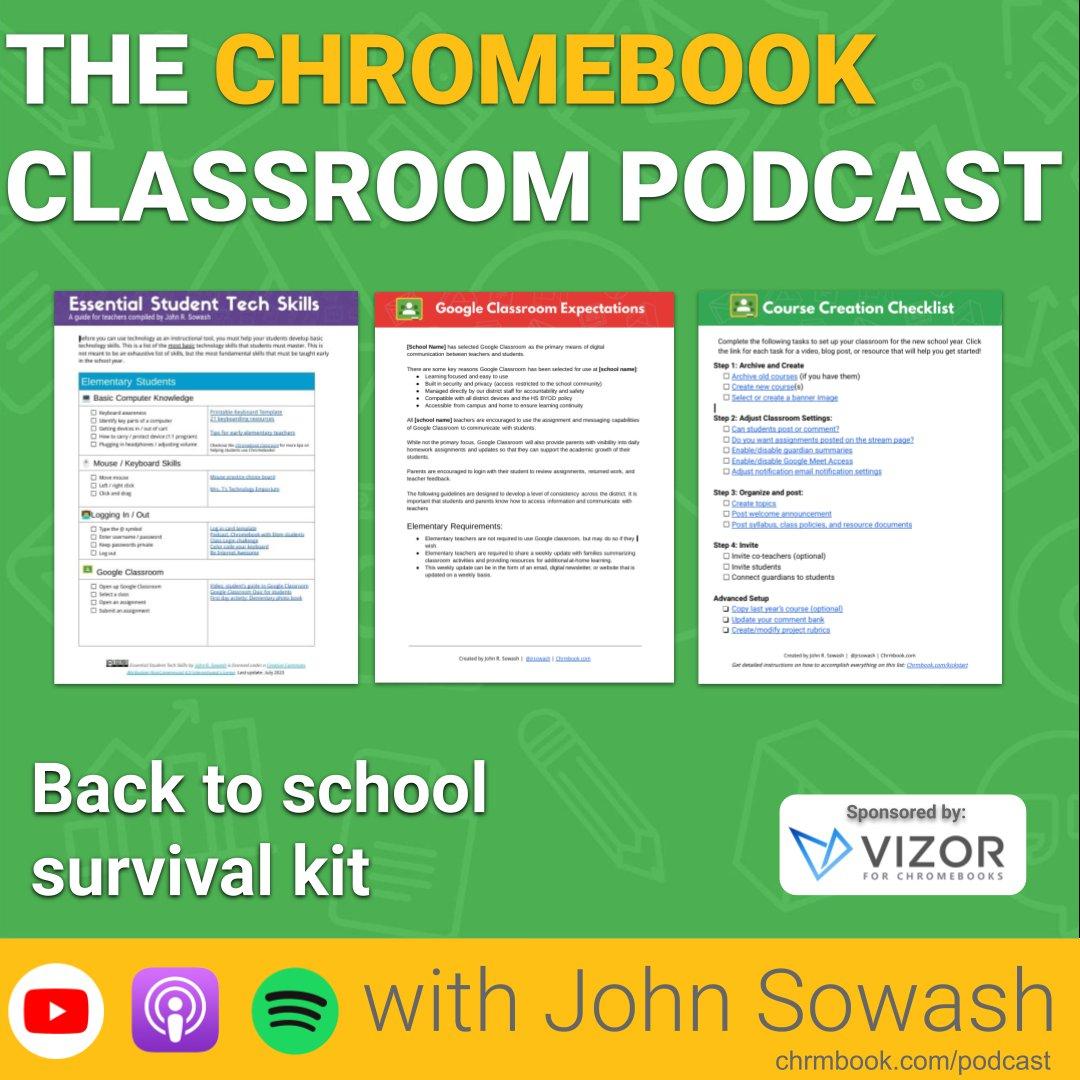 Back to school survival kit (15 resources for teachers and administrators) Back to school survival kit (15 resources for teachers and administrators) | The beginning of a new school year is both exciting and challenging. There is a lot to look forward to and a lot to get ready for! In my 17 years working in education, I've learned some things and created some classroom templates that help me get the year started. Today I'm sharing those resources with you. 👉 If you are feeling overwhelmed, I hope these classroom templates will bring you some peace and confidence. 👉 If you are excited about the possibilities of a new school year, I hope these classroom templates will inspire you with some new ideas. Google classroom checklist for teachers Student skills checklist Classroom resource template Chrome extensions for students Chrome extensions for teachers Google Classroom requirements Student Chromebook agreement AI and plagiarism policy Google Classroom checklist for teachers Classroom resource template Free time activity template Parent contact log Peer editing practice Google Classroom quiz Selfie card lesson All of the resources mentioned in this video are available here: https://www.chrmbook.com/back-to-school-survival-kit-13-classroom-templates-every-teacher-needs/ ***Episode Sponsor: VIZOR for Chromebooks*** Track your devices, repairs, loaners, and more with VIZOR's best-in-class asset management system. It's not too late to get started: http://vizor.cloud/cbc ----------------------------- Thanks for tuning into the Chromebook Classroom Podcast! If you enjoyed today's episode, I would appreciate your honest rating and review! You can connect with me, John Sowash, on Facebook, Twitter, or Instagram. I would love to hear your thoughts on the show! | — | ||||||
| 7/22/24 |  10 Must-Know EDU Updates for July: Google, Figma, book recommendations & more! 10 Must-Know EDU Updates for July: Google, Figma, book recommendations & more! | We're at the peak of summer, but the EDU updates don't stop! Here's a rundown on some important updates, changes, and ideas for you to consider as you sit poolside or enjoy friends and family. As part of my daily routine, I scan dozens of blogs, visit a handful of Facebook groups, and skim through Twitter. ***Episode Sponsor: VIZOR for Chromebooks*** Track your devices, repairs, loaners, and more with VIZOR's best-in-class asset management system. Schedule a demo TODAY and beat the summer rush! Use this exclusive link to save 20% off your first year: http://vizor.cloud/cbc Here are my favorite links for July 2024: Ask Gemini about documents and emails Google Vids in Beta Can you spot the AI image? Wednesday Webinars are back for 2024-25 eSignatures in Google Docs Pre-configure Google Meet from Calendar LaCrOS is dead World Emoji day Great stuff from Figma The Art of Online Writing (book review) ----------------------------- Thanks for tuning into the Chromebook Classroom Podcast! If you enjoyed today's episode, I would appreciate your honest rating and review! You can connect with me, John Sowash, on Facebook, Twitter, or Instagram. I would love to hear your thoughts on the show! | — | ||||||
| 6/24/24 |  NEW features for Google Classroom, Chromebooks, Drive and MORE! (ISTE24 Update) NEW features for Google Classroom, Chromebooks, Drive and MORE! (ISTE24 Update) | June 24 marks the start of the 2024 ISTE conference, and Google is making a big splash by announcing lots of cool updates and new features for the 2024-25 school year! Join me on this episode to explore the latest updates to Google Classroom, Chromebooks, Gemini, Google Drive, and more! ***Episode Sponsor: VIZOR for Chromebooks*** Track your devices, repairs, loaners, and more with VIZOR's best-in-class asset management system. Schedule a demo TODAY and beat the summer rush! Use this exclusive link to save 20% off your first year: http://vizor.cloud/cbc ----------------------------- Thanks for tuning into the Chromebook Classroom Podcast! If you enjoyed today's episode, I would appreciate your honest rating and review! You can connect with me, John Sowash, on Facebook, Twitter, or Instagram. I would love to hear your thoughts on the show! | — | ||||||
| 6/4/24 |  Collecting and repairing Chromebooks (Chris Painter, Blackford County Schools) Collecting and repairing Chromebooks (Chris Painter, Blackford County Schools) | Chris Painter is my guest for this episode of the podcast. Chris is the technology director for Blackford County Schools in Hartford City, Indiana which as a fleet of 1,800 devices. During our conversation Chris shares his best practices and tips for collecting, inventorying, and repairing a Chromebook fleet and getting them ready for the new school year. Episode Sponsor: VIZOR for Chromebooks VIZOR provides Chromebook 1:1 Management Software for Schools. Get 20% off your first year when you schedule a no-obligation demo. Show notes and links: chrmbook.com/s8e14/ ----------------------------- Thanks for tuning into the Chromebook Classroom Podcast! If you enjoyed today's episode, I would appreciate your honest rating and review! You can connect with me, John Sowash, on Facebook, Twitter, or Instagram. I would love to hear your thoughts on the show! | — | ||||||
| 5/16/24 |  Introducing Gemini for Education (AI tools for teachers and leaders) Introducing Gemini for Education (AI tools for teachers and leaders) | Today Google announced a new package of AI tools specifically designed teachers and school leader. These tools combine the power of Google Gemini with data privacy protections and unique features for teachers. Joining me to discuss Gemini for Education is Vivek Chachcha, product manager for AI tools within Google Workspace for Education. Episode Sponsor: VIZOR for Chromebooks VIZOR provides Chromebook 1:1 Management Software for Schools. Get 20% off your first year when you schedule a no-obligation demo. Episode Shownotes and links: http://chrmbook.com/s8e13/ ----------------------------- Thanks for tuning into the Chromebook Classroom Podcast! If you enjoyed today's episode, I would appreciate your honest rating and review! You can connect with me, John Sowash, on Facebook, Twitter, or Instagram. I would love to hear your thoughts on the show! | — | ||||||
| 4/18/24 |  Surprise updates from Cloud Next Surprise updates from Cloud Next | As part of my daily routine, I scan dozens of blogs, visit a handful of Facebook groups and skim through Twitter. The goal: find the most helpful resources, tools, and articles that I can share with my teacher friends (that's you!) Here are my favorite links and updates for April 2024: http://chrmbook.com/s8e12/ ***Episode Sponsor: VIZOR for Chromebooks*** Track your devices, repairs, loaners, and more with VIZOR's best-in-class asset management system. Schedule a demo TODAY and beat the summer rush! Use this exclusive link to save 20% off your first year: http://vizor.cloud/cbc Congrats to the newest Google Innovators Google Vids Tabs for Google Docs Figjam on Google Meet Screens Dark mode for Google Drive Find a Chromebook through the log event search Multi-admin approvals 5 ways to organize your digital life with AI Do AI detectors work? Not enough data for AI? ----------------------------- Thanks for tuning into the Chromebook Classroom Podcast! If you enjoyed today's episode, I would appreciate your honest rating and review! You can connect with me, John Sowash, on Facebook, Twitter, or Instagram. I would love to hear your thoughts on the show! | — | ||||||
| 4/10/24 |  So long Google Podcast...let's explore some alternatives. So long Google Podcast...let's explore some alternatives. | Sadly, Google Podcast has been discontinued by Google as of April 2, 2024. Google Podcast was a simple, clean podcast player that did exactly what it was designed to do: play podcasts. Let's see if we can find a suitable alternative. ----------------------------- EPISODE SPONSOR: VIZOR for Chromebooks VIZOR simplifies the task of managing Chromebooks by integrating the Google Admin Console and your SIS so that you can instantly monitor the health and status of your fleet of devices. Visit http://vizor.cloud/cbc to learn more! ----------------------------- Thanks for tuning in to the Chromebook Classroom Podcast! If you enjoyed today's episode, I would appreciate your honest rating and review! You can connect with me, John Sowash, on Facebook, Twitter, or Instagram. I would love to hear your thoughts on the show! | — | ||||||
| 3/22/24 |  Explore is no more, Chromebook prank guide + 8 more updates for March 2024 Explore is no more, Chromebook prank guide + 8 more updates for March 2024 | As part of my daily routine, I scan dozens of blogs, visit a handful of Facebook groups and skim through Twitter. The goal: find the most helpful resources, tools, and articles that I can share with my teacher friends (that's you!) ***EPISODE SPONSOR*** Are you interested in becoming a Google Certified Trainer? Join me for the very first "Google Trainer Academy" taking place April 16-May 14, 2024. This virtual event will guide you through the process of becoming a certified trainer AND exploring how you can earn a secondary income by leveraging your expertise. Visit GoogleTrainerAcademy.com to learn more. Here are 10 updates for March 2024: Improved video playback in Google Drive Google is now offering a limited AI use plan Migrate Email between Google Domains Remove background from Slides AI image generation (with text!) Visit a class setup guide Tips for using AI responsibly Chromebook prank guide The explore tool is no more Chromebook features for teachers ----------------------------- Thanks for tuning into the Chromebook Classroom Podcast! If you enjoyed today's episode, I would appreciate your honest rating and review! You can connect with me, John Sowash, on Facebook, Twitter, or Instagram. I would love to hear your thoughts on the show! | — | ||||||
| 2/21/24 |  Bard is no more; hello Gemini...plus 9 more important updates Bard is no more; hello Gemini...plus 9 more important updates | As part of my daily routine, I scan dozens of blogs, visit a handful of Facebook groups, and skim through Twitter. The goal: find the most helpful resources, tools, and articles that I can share with my teacher friends (that's you!). ***Episode Sponsor: VIZOR for Chromebooks*** Track your devices, repairs, loaners, and more with VIZOR's best-in-class asset management system. Schedule a demo TODAY and beat the summer rush! Use this exclusive link to save 20% off your first year: http://vizor.cloud/cbc Here are my favorite links for February 2024: Bard is now Gemini Beta Test Google's AI for Education tools New features announced at BETT Sort, filter, and manage comments in Docs New AI features for the Chrome browser Improvements to Appointment Schedules Updates for Google Meet Google Classroom Templates New Book: EDU Protocols for Young Learners Art Remix powered by AI Subscribe to the Google EDU Update and get these monthly updates delivered right to your inbox: chrm.tech/update ----------------------------- Thanks for tuning into the Chromebook Classroom Podcast! If you enjoyed today's episode, I would appreciate your honest rating and review! You can connect with me, John Sowash, on Facebook, Twitter, or Instagram. I would love to hear your thoughts on the show! | — | ||||||
| 1/22/24 |  Authenticate student writing + plus 9 more updates for January 2024 Authenticate student writing + plus 9 more updates for January 2024 | As part of my daily routine, I scan dozens of blogs, visit a handful of Facebook groups and skim through Twitter. The goal: find the most helpful resources, tools, and articles that I can share with my teacher friends (that's you!) ***Episode Sponsor: VIZOR for Chromebooks*** Save 20% off your first year with VIZOR and get a FREE Chromecast with Cast moderator when you schedule a demo before the end of January, 2024: http://vizor.cloud/cbc January 2024 Updates: Sowash family Euro venture! Change your extension policy Convert your form into a practice set 2024 Google Innovator Academy dates ChromeOS certification exam (still free!) Tech management for teachers Right click QR code reader (extension) Inspect writing with Brisk teaching 5 AI extensions for teachers 10. 10 data privacy lessons Visit the show notes to get all of the links and resources that were mentioned: http://chrmbook.com/s8e8 ----------------------------- Thanks for tuning into the Chromebook Classroom Podcast! If you enjoyed today's episode, I would appreciate your honest rating and review! You can connect with me, John Sowash, on Facebook, Twitter, or Instagram. I would love to hear your thoughts on the show! | — | ||||||
| 1/3/24 |  Add these books to your 2024 reading lists (and a few to avoid!) Add these books to your 2024 reading lists (and a few to avoid!) | I read 21 books this last year. Most were pretty good, a few were pretty bad! I enjoy hearing what others are reading and frequently add their recommendations to my list, so I thought I would share some of my favorites with you to help jump start your 2024 reading list. Additional Resources: All 21 books on Amazon My blog post with a short summary of all 21 books WATCH this episode on YouTube Episode Sponsor: VIZOR for Chromebooks: save 20% off your first year and get a FREE Chromecast with Cast moderator when you schedule a demo before the end of January, 2024: http://vizor.cloud/cbc ----------------------------- Thanks for tuning into the Chromebook Classroom Podcast! If you enjoyed today's episode, I would appreciate your honest rating and review! You can connect with me, John Sowash, on Facebook, Twitter, or Instagram. I would love to hear your thoughts on the show! | — | ||||||
Showing 25 of 100
Sponsor Intelligence
Sign in to see which brands sponsor this podcast, their ad offers, and promo codes.
Chart Positions
3 placements across 3 markets.
Chart Positions
3 placements across 3 markets.