Insights from recent episode analysis
Audience Interest
Podcast Focus
Publishing Consistency
Platform Reach
Insights are generated by CastFox AI using publicly available data, episode content, and proprietary models.
Most discussed topics
Brands & references
Total monthly reach
Estimated from 43 chart positions in 43 markets.
By chart position
- 🇦🇺AU · Technology#27100K to 300K
- 🇺🇸US · Technology#31100K to 300K
- 🇨🇦CA · Technology#32100K to 300K
- 🇬🇧GB · Technology#34100K to 300K
- 🇩🇪DE · Technology#5330K to 100K
- Per-Episode Audience
Est. listeners per new episode within ~30 days
241K to 759K🎙 Daily cadence·66 episodes·Last published 3d ago - Monthly Reach
Unique listeners across all episodes (30 days)
803K to 2.5M🇦🇺12%🇺🇸12%🇨🇦12%+40 more - Active Followers
Loyal subscribers who consistently listen
321K to 1.0M
Market Insights
Platform Distribution
Reach across major podcast platforms, updated hourly
Total Followers
—
Total Plays
—
Total Reviews
—
* Data sourced directly from platform APIs and aggregated hourly across all major podcast directories.
On the show
From 13 epsHost
Recent guests
Recent episodes
Claude Fable 5 review: what the new Mythos model gets right (and very wrong)
Jun 9, 2026
Unknown duration
Shopping with Claude: How to find quality brands, automate returns, and buy things that last 100 years | Nicole Ruiz
Jun 8, 2026
Unknown duration
Gemini Omni: Clone yourself with AI in under 15 minutes
Jun 3, 2026
Unknown duration
Building an iPhone app with zero technical skills | Bryce Rattner Keithley
Jun 1, 2026
Unknown duration
Claude Opus 4.8 is here. Is it as good as they say?
May 28, 2026
Unknown duration
Social Links & Contact
Official channels & resources
Official Website
Login
RSS Feed
Login
| Date | Episode | Topics | Guests | Brands | Places | Keywords | Sponsor | Length | |
|---|---|---|---|---|---|---|---|---|---|
| 6/9/26 | ![]() Claude Fable 5 review: what the new Mythos model gets right (and very wrong) | Claude Fable 5 is the first Mythos-class intelligence model to be generally available, and I got early access to test it before launch. In this episode, I walk through what Anthropic is promising, what actually stood out when I used it on real work, and where I think it fits in your AI stack.—In this episode, we cover:(00:00) Introduction: Fable 5 is finally here(00:31) What Anthropic says about the model(05:14) Token-intensive by design(06:28) Safety classifiers and the new fallback concept(07:46) Is this or is this not Mythos?(08:30) New product launches: Managed Agents and more(09:20) Crushing benchmarks(09:55) What it’s actually like to use (the good and the bad)(11:40) Test 1: product graph spec(12:56) Test 2: designing a skills registry(14:04) Conservative on execution(14:43) Test 3: multi-agent orchestration(15:39) My takeaways—Tools referenced:• Claude Fable 5: https://www.anthropic.com/news/claude-fable-5-mythos-5• Claude Managed Agents: https://platform.claude.com/docs/en/managed-agents/overview—Other reference:• SWBench Pro benchmark: https://www.swebench.com/—Where to find Claire Vo:ChatPRD: https://www.chatprd.ai/Website: https://clairevo.com/LinkedIn: https://www.linkedin.com/in/clairevo/X: https://x.com/clairevo—Production and marketing by https://penname.co/. For inquiries about sponsoring the podcast, email jordan@penname.co. | — | ||||||
| 6/8/26 | ![]() Shopping with Claude: How to find quality brands, automate returns, and buy things that last 100 years | Nicole Ruiz | Nicole Ruiz is a writer and parent who has built a comprehensive AI-powered shopping system to help her family buy high-quality, long-lasting items while avoiding the noise of drop-shipping brands, paid ads, and poorly made products. She writes an interview series on Substack about how technology is changing the household.What you’ll learn:How to build a Claude Project with custom instructions for vetting brands based on heritage, craftsmanship, and return policiesThe shopping criteria that help surface century-old manufacturers over trendy direct-to-consumer brandsHow to use Claude to search through trusted vendor websites that have terrible UXWhy AI actually helps small artisans and heritage brands compete against Amazon’s infrastructureHow to use Claude Cowork to automate returns by finding receipts in your email and drafting refund requestsThe technique for getting Claude to analyze whether a brand is legitimate or just a drop-shipping operationHow to shop within a specific budget or with gift cards using AI assistance—Brought to you by:Orkes—The enterprise platform for reliable applications and agentic workflowsMetaview—The agentic recruiting platform for winning teams—In this episode, we cover:(00:00) Introduction to Nicole and AI-powered shopping(02:29) The problem(04:55) Building a Claude Project for household purchasing(07:44) The “anti-to-do list” concept for reducing mental overhead(10:30) Shopping for a can opener: the system in action(15:53) How AI helps century-old brands with terrible websites(18:45) Processing returns with Claude Cowork(25:06) Using gift cards strategically(26:33) Vetting brands(29:40) Recap, lightning round, and final thoughts—Tools referenced:• Claude: https://claude.ai/• Claude Cowork: https://www.anthropic.com/product/claude-cowork—Other references:• Boston General Store: https://bostongeneralstore.com/• L.L.Bean: https://www.llbean.com/• Manufactum: https://www.manufactum.com/• 5 OpenClaw agents run my home, finances, and code | Jesse Genet: https://www.lennysnewsletter.com/p/5-openclaw-agents-run-my-home-finances• From a $6.90 newsletter to $3M API: How a non-coder built Memelord | Jason Levin: https://www.lennysnewsletter.com/p/from-a-690-newsletter-to-3m-api-how—Where to find Nicole Ruiz:X: https://x.com/nwilliams030Substack (The Third Oikos): https://www.thirdoikos.com/—Where to find Claire Vo:ChatPRD: https://www.chatprd.ai/Website: https://clairevo.com/LinkedIn: https://www.linkedin.com/in/clairevo/X: https://x.com/clairevo—Production and marketing by https://penname.co/. For inquiries about sponsoring the podcast, email jordan@penname.co. | — | ||||||
| 6/3/26 | ![]() Gemini Omni: Clone yourself with AI in under 15 minutes | In this experimental episode, I document my real-time attempt to create an AI avatar of myself using Google Flow and the new Gemini Omni video generation model. I walk through the entire process—from scanning my face with my phone to generating a complete one-minute hype video for the podcast, all in about 15 minutes.What you’ll learn:How to create an AI avatar using Google Flow in under five minutesWhy video AI tools unlock creative possibilities for people with zero video production skillsThe step-by-step process of generating a full storyboard using AI as your creative producerHow to use character consistency features to generate multiple video scenes with the same avatarThe uncanny-valley moments you’ll encounter when your AI clone doesn’t quite nail emotions or physicsHow to stitch together AI-generated scenes into a complete video using built-in editing tools—Brought to you by:Merge—Connective infrastructure for production AIJira Product Discovery—Prioritize with insights, build with confidence—In this episode, we cover:(00:00) Getting started with Google Flow and Gemini Omni(01:38) The avatar creation process: scanning and photo capture(02:55) Using Flow to brainstorm a hype video storyboard(06:59) Generating the first video scene with the avatar(08:41) Troubleshooting: accidentally generating images instead of videos(09:32) Generating all seven scenes for the complete video(11:37) Reviewing the avatar videos(13:13) Stitching the videos together in the browser-based editor(14:32) The complete How I AI hype video(15:32) What worked and what didn’t(19:04) Final thoughts—Tools referenced:• Google Flow: https://labs.google/fx/tools/flow• Gemini Omni: https://gemini.google/overview/video-generation/• Veo 3: https://deepmind.google/technologies/veo/—Where to find Claire Vo:ChatPRD: https://www.chatprd.ai/Website: https://clairevo.com/LinkedIn: https://www.linkedin.com/in/clairevo/X: https://x.com/clairevo—Production and marketing by https://penname.co/. For inquiries about sponsoring the podcast, email jordan@penname.co. | — | ||||||
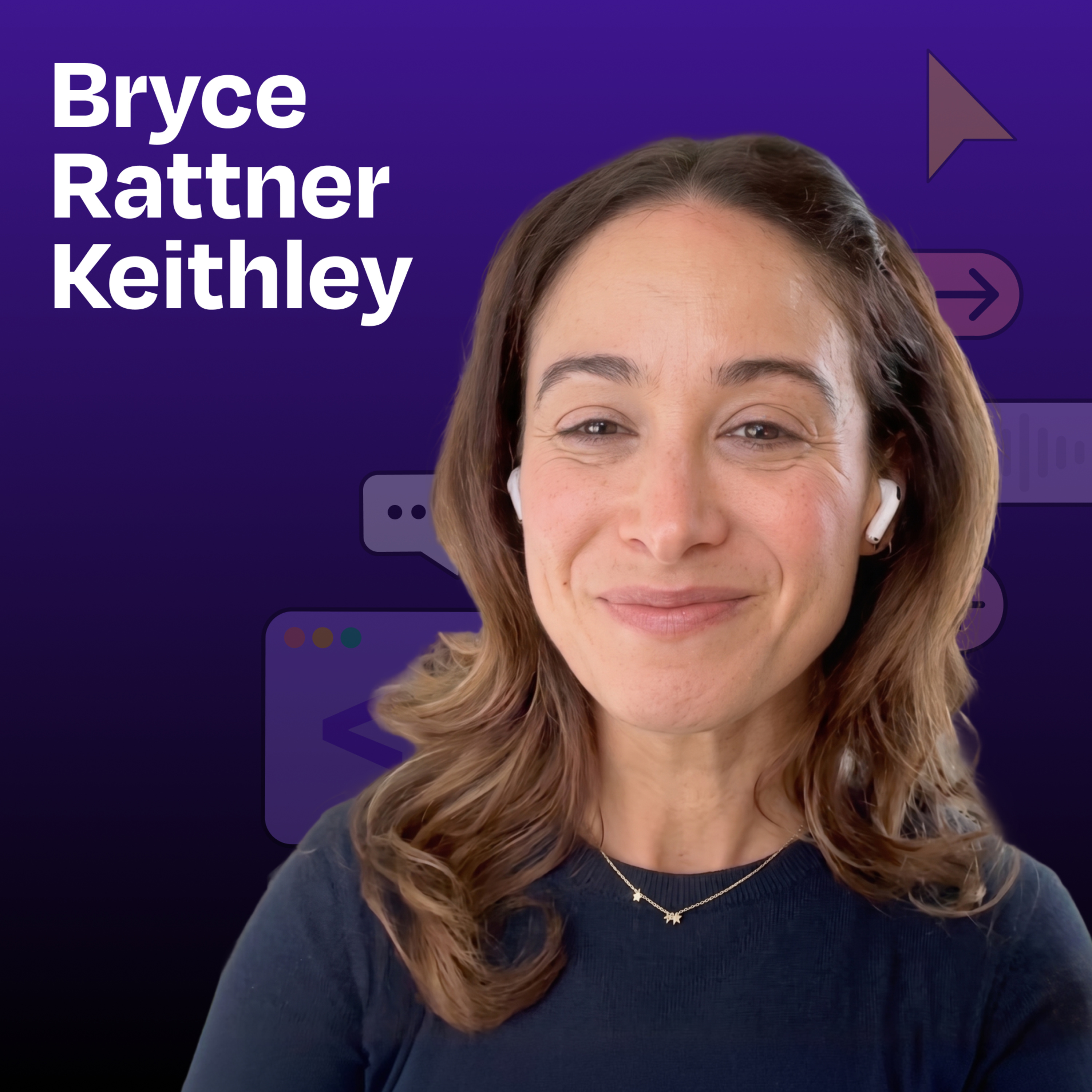
| 6/1/26 | ![]() Building an iPhone app with zero technical skills | Bryce Rattner Keithley | Bryce Rattner Keithley has spent her career in talent and recruiting, working with technical leaders but never writing a line of code herself. Yet she managed to build Daily Hundred—a fitness app featuring custom AI-generated videos of anthropomorphic animals demonstrating exercises—and ship it to the App Store before her software engineer friends. Using Replit, Claude, Gemini, and a relentless beginner’s mindset, Bryce proves that in the AI era, execution is no longer the constraint on good ideas.What you’ll learn:How to build and ship an iPhone app using Replit without any coding knowledgeThe step-by-step process for creating custom AI-generated workout videos by combining Gemini images with real exercise footageHow to use Claude as your technical architect and Claude Code as your software engineerHow to navigate App Store submission requirements (including fixing rejection feedback)Why being hyper-literal in your prompts unlocks better AI resultsWhy a beginner’s mind is actually an advantage when building with AI tools—Brought to you by:WorkOS—Make your app enterprise-ready todayMetaview—The agentic recruiting platform for winning teams—In this episode, we cover:(00:00) Introduction to Bryce and Daily Hundred(04:48) Building with Replit(06:16) The beginner’s mindset advantage(11:17) Creating anthropomorphic animals(22:55) Moving from static image to video(27:15) The floating genie and other anthropomorphic animal generations(30:46) Shifting from web app to App Store submission(36:24) User feedback(37:41) Lightning round and final thoughts—Tools referenced:• Replit: https://replit.com/• Lovable: https://lovable.dev/• Claude: https://claude.ai/• Claude Code: https://claude.ai/code• Gemini: https://gemini.google.com/• Higgsfield: https://higgsfield.ai/• Kling: https://kling.ai/• Railway: https://railway.app/• TestFlight: https://developer.apple.com/testflight/—Other references:• How a 91-year-old vibe coded a complex event management system using Claude and Replit | John Blackman: https://www.lennysnewsletter.com/p/how-a-91-year-old-vibe-coded-a-complex• What Got You Here Won’t Get You There: https://www.amazon.com/What-Got-Here-Wont-There/dp/1401301304• How Women Rise: https://www.amazon.com/How-Women-Rise-Holding-Careers/dp/0316440124• A Whole New Mind: https://www.amazon.com/Whole-New-Mind-Right-Brainers-Future/dp/1594481717• How to Win Friends and Influence People: https://www.amazon.com/How-Win-Friends-Influence-People/dp/0671027034—Where to find Bryce Rattner Keithley:LinkedIn: https://www.linkedin.com/in/brycerattner/GitHub: https://github.com/brk-bot/Daily Hundred on the App Store: https://apps.apple.com/us/app/daily100-fitness-challenge/id6762108062—Where to find Claire Vo:ChatPRD: https://www.chatprd.ai/Website: https://clairevo.com/LinkedIn: https://www.linkedin.com/in/clairevo/X: https://x.com/clairevo—Production and marketing by https://penname.co/. For inquiries about sponsoring the podcast, email jordan@penname.co. | — | ||||||
| 5/28/26 | ![]() Claude Opus 4.8 is here. Is it as good as they say? | I got a few hours of early-access testing with Anthropic’s newly released model Opus 4.8. I walk through real coding, design, and strategy tasks across Claude Code and Claude Cowork, and give you my unfiltered view on what impressed me and what didn’t.—What you’ll learn:Where Opus 4.8 excels: greenfield prototypes, one-shot features, and fast executionWhere it struggles: the last 10%, edge cases in existing codebases, and hallucinationsHow Opus 4.8 compares to Opus 4.7 on business strategy workWhy I’m still reaching for Opus 4.7 on data-heavy strategy and roadmap workThe new features shipping alongside the model: dynamic workflows with parallel subagents and effort control in Claude.ai and CoworkThe prompting and harness strategy I’d use to get the most out of it—In this episode, we cover:(00:00) Introduction to Opus 4.8 (00:44) Benchmark performance and pricing(01:53) First coding test: Building a prototyping tool(03:00) Where it failed: The last 10% problem(03:27) The hallucination problem(04:23) Testing Opus 4.8 on existing codebases(05:24) The ambition test: Building games for a 9-year-old(07:03) Business strategy test: 4.7 vs 4.8(08:23) The roadmap test(09:17) Final verdict—References:• System Card: Claude Opus 4.8: https://cdn.sanity.io/files/4zrzovbb/website/c886650a2e96fc0925c805a1a7ca77314ccbf4a6.pdf• Introducing Claude Opus 4.8 on X: https://x.com/claudeai/status/2060042702150930686?s=20—Where to find Claire Vo:ChatPRD: https://www.chatprd.ai/Website: https://clairevo.com/LinkedIn: https://www.linkedin.com/in/clairevo/X: https://x.com/clairevo—Production and marketing by https://penname.co/. For inquiries about sponsoring the podcast, email jordan@penname.co. | — | ||||||
| 5/27/26 | ![]() The Codex feature that works while you sleep | In this 30-minute episode, I walk through my favorite feature in Codex: the /goal command. I show how Goals transform AI from a turn-based assistant that needs constant ‘what’s next?’ prompting into an autonomous agent that can work for hours on complex, multi-step tasks. I share three real examples: eliminating thousands of Sentry errors, cleaning 3,900 emails down to 68, and organizing hundreds of Linear tasks.What you’ll learn:What Goals are and how they differ from standard promptsHow I used /goal to eliminate hundreds of error logs in my codebase over a five-hour autonomous runThe non-technical use cases that make Goals incredibly powerful: cleaning up 3,900 emails in under four hours and organizing hundreds of project management tasks in LinearHow to write effective /goal prompts with measurable outcomes, verification methods, and constraintsWhen not to use Goals and what makes a strong versus weak GoalWhy Goals represent a fundamental shift in how we work with AI, from babysitting the model to managing it—Brought to you by:Mercury—Radically different banking loved by over 300K entrepreneurs—In this episode, we cover:(00:00) Introduction(01:50) What is /goal and when should you use it?(02:45) The difference between prompts and Goal-based loops(04:06) Claire’s first five-hour 45-minute autonomous coding task(05:05) How to manage a Goal lifecycle: view, pause, resume, and clear(06:06) How to write strong goals: outcomes vs. outputs(07:34) The six components of effective Goals(08:57) Example: Reducing P95 checkout latency with /goal(09:36) Demo: Using /goal to eliminate Sentry errors in ChatPRD(13:18) Demo: Burning down Vercel API errors(17:28) Non-technical use case: Cleaning 3,900 emails with /goal(21:24) Demo: Using /goal to clean up Linear project tasks(24:41) When not to use /goal(26:10) Why /goal changes everything—Tools referenced:• Codex: https://openai.com/codex/• Sentry: https://sentry.io/• Vercel: https://vercel.com/• Linear: https://linear.app/—Other reference:• OpenAI blog post “Using Goals in Codex”: https://developers.openai.com/cookbook/examples/codex/using_goals_in_codex—Where to find Claire Vo:ChatPRD: https://www.chatprd.ai/Website: https://clairevo.com/LinkedIn: https://www.linkedin.com/in/clairevo/X: https://x.com/clairevo—Production and marketing by https://penname.co/. For inquiries about sponsoring the podcast, email jordan@penname.co. | — | ||||||
| 5/25/26 | ![]() How the engineer behind Claude Cowork actually uses Claude | Felix Rieseberg (Anthropic) | Felix Rieseberg is the engineering lead for Claude Cowork and Claude Code Desktop at Anthropic. He previously spent five years at Slack building developer tools. In this episode, Felix demonstrates how he uses Claude to solve real-life problems: analyzing floor plans to build interactive 3D house walkthroughs, automatically tracking promises he makes on Twitter, and building a $20 hardware device that physically approves Claude actions with a button press.What you’ll learn:How to use Claude Cowork to turn a 2D floor plan into an interactive 3D walkthrough where you can move furniture aroundThe “go one abstraction layer up” philosophy: why you should never manually enter data Claude can find itselfHow to use your email as an inventory database for furniture, clothing, and personal purchasesWhen to use Opus vs. Sonnet 4.6 (hint: it’s about how well you can scope the problem, not technical complexity)How live artifacts work and why they’re powerful for dashboards that refresh with real-time data from your connectorsThe product philosophy behind making latency delightfulHow to build your own $20 hardware device using Claude Code (no hardware experience required)Why Felix never reads the code Claude writes and judges it purely on output—Brought to you by:Magic Patterns—Prototypes that look like your productGuru—The AI layer of truth—In this episode, we cover:(00:00) Introduction to Felix Rieseberg(02:40) Felix’s role at Anthropic(03:25) The multiple tabs in Claude and why they exist(05:55) Using Claude Cowork to design a new house using floor plans(09:52) When to use Opus versus Sonnet 4.6(12:37) Building an interactive 3D furniture planner(14:30) Using your email as a source of truth for personal inventory(15:58) The anti-to-do list: going one abstraction layer up(23:14) Introduction to live artifacts(26:02) Building a personal dashboard with live data(28:37) Being polite to Claude (and why it matters for your humanity)(30:28) Claude interaction tips(32:33) Looking at the daily dashboard(33:55) How live artifacts work with connectors(35:02) Redesigning the dashboard(37:55) The biggest gap: people don’t know what problems AI can solve(41:52) The reverse interview(42:30) Making latency delightful through asynchronous design(44:05) The redesigned dashboard(45:28) AI should free up your creative energy(46:44) Building a $20 hardware Claude buddy(52:33) Why kids are magical AI users(54:30) Recap and final thoughts—Tools referenced:• Claude Cowork: https://www.anthropic.com/product/claude-cowork• Claude Code: https://claude.ai/code• Claude for Chrome: https://code.claude.com/docs/en/chrome• Claude Desktop: https://claude.ai/download• Live Artifacts: https://support.claude.com/en/articles/14729249-use-live-artifacts-in-claude-cowork• Connectors (Spotify, Gmail, Calendar, Notion): https://claude.ai/settings/connectors• Slack: https://slack.com/—Where to find Felix Rieseberg:Website: https://felixrieseberg.com/LinkedIn: https://www.linkedin.com/in/felixrieseberg/X: https://x.com/felixriesebergGitHub: https://github.com/felixrieseberg—Where to find Claire Vo:ChatPRD: https://www.chatprd.ai/Website: https://clairevo.com/LinkedIn: https://www.linkedin.com/in/clairevo/X: https://x.com/clairevo—Production and marketing by https://penname.co/. For inquiries about sponsoring the podcast, email jordan@penname.co. | — | ||||||
| 5/20/26 | ![]() What launched at Google I/O 2026 (30-minute day 1 recap) | Today is day one of Google I/O 2026, and I walk through every major announcement live—from the new Gemini 3.5 model family to Anti-Gravity 2.0, Google AI Studio, Gemini’s consumer redesign, the Omni video model, Flow, Stitch, and Pomelli. I test them in real time and tell you exactly which ones delivered.What you’ll learn:How Gemini 3.5 Flash benchmarks against Claude and GPT models on speed and agentic coding tasksHow Anti-Gravity 2.0’s new features (projects, scheduled tasks, subagents, slash commands) compare to Codex and Claude CodeWhy the /grill-me slash command could be a more aggressive alternative to Claude Code’s clarification flow—and how to use itHow Google AI Studio’s new Workspace integration is designed to own the internal productivity app use caseHow Google’s new creative tools work in practice: Omni (video generation), Flow (cinematic video editing and character consistency), Stitch (streaming UI design with inline edits), and Pomelli (brand identity and asset generation)Why Google’s launch-to-availability gap is still a problem—and what to do when a featured product doesn’t actually work yet—Brought to you by:Magic Patterns—Prototypes that look like your productThoughtspot—Build AI-powered analytics into your product—In this episode, we cover:(00:00) Google I/O 2026 day 1 overview(01:47) Gemini 3.5 flash(04:19) Antigravity updates(06:32) CLI test and agent features(07:59) Core agent features released today—May 19th, 2026(09:43) New slash commands(11:20) Antigravity test results and takeaways(12:25) AI Studio updates(13:52) Access issues(15:20) Gemini redesign(17:24) Gemini image gen test(19:16) Omni (video generation)(22:56) Flow (cinematic editing)(24:31) Avatar creation test(26:45) Pomelli and Stitch(31:13) Recap and final thoughts—Tools referenced:• Gemini 3.5 Flash: https://deepmind.google/technologies/gemini/• Antigravity: https://antigravity.google/• Google AI Studio: https://aistudio.google.com/• Google Gemini: https://gemini.google.com/• Omni (video generation): https://gemini.google/overview/video-generation/• Google Flow: https://flow.google/• Stitch: https://stitch.withgoogle.com/• Pomelli (Google brand tool): https://labs.google.com/pomelli/about/—Other references:• Google I/O 2026 announcements: https://blog.google/innovation-and-ai/sundar-pichai-io-2026/—Where to find Claire Vo:ChatPRD: https://www.chatprd.ai/Website: https://clairevo.com/LinkedIn: https://www.linkedin.com/in/clairevo/X: https://x.com/clairevo—Production and marketing by https://penname.co/. For inquiries about sponsoring the podcast, email jordan@penname.co. | — | ||||||
| 5/18/26 | ![]() HTML is the new Markdown: How Anthropic engineers are building with Claude Code | Thariq Shihipar | Thariq Shihipar is an engineer at Anthropic working on the Claude Code team. He’s spent the past several months experimenting with HTML as a replacement for Markdown in planning and implementation workflows, discovering that richer visual formats lead to better human engagement—and, ultimately, better products. In this episode, filmed at Anthropic’s Code with Claude event in San Francisco, Thariq demonstrates how to use HTML artifacts to create interactive plans, build throwaway UIs for specific problems, and maintain living design systems that travel with your codebase.What you’ll learn:Why HTML has replaced Markdown as the ideal format for AI agent communication and planningHow to brainstorm in HTML to get visual mockups and interactive demos instead of text listsThe technique for building throwaway micro-UIs to edit specific parts of your planHow to create a living design system in HTML that lives in your repo and travels with every projectWhy “complexity has to earn its keep” and how HTML helps you stay in the loop without over-constraining ClaudeThe prompting technique that gives Claude flexibility while ensuring that you get what you needWhy 99% of your AI-generated tokens should go to planning, interfaces, and communication—not production code—Brought to you by:Celigo—Intelligent automation built for AIPersona—Trusted identity verification for any use case—In this episode, we cover:(00:00) Introduction(02:39) HTML as the new Markdown(04:30) The compute allocator mindset(05:51) How HTML makes specs more engaging(06:48) Demo: Brainstorming in HTML with Claude Code(09:24) From brainstorm to full implementation plan(11:20) Prompting philosophy: Trust Claude but give it constraints(13:50) The future of PRDs and tech specs(18:16) Making HTML specs editable(20:23) The abundance mindset(24:17) Just-in-time documentation and throwaway software(25:39) Using plans as artifacts for implementation(26:39) Demo: Living design systems in HTML(30:16) Adding comments and annotations to HTML plans(31:42) Recap: The HTML workflow(32:21) Lightning round and final thoughts—Tools referenced:• Claude Code: https://claude.ai/code• Claude Design: https://claude.ai/design• AWS: https://aws.amazon.com/• Figma: https://www.figma.com/• GitHub: https://github.com/—Other references:• Anthropic Code with Claude event: https://claude.com/code-with-claude• SpaceX partnership announcement: https://www.anthropic.com/news/higher-limits-spacex• Jevons paradox: https://en.wikipedia.org/wiki/Jevons_paradox—Where to find Thariq Shihipar:Website: https://www.thariq.io/LinkedIn: https://www.linkedin.com/in/thariqshihipar/X: https://x.com/trq212GitHub: https://github.com/ThariqS—Where to find Claire Vo:ChatPRD: https://www.chatprd.ai/Website: https://clairevo.com/LinkedIn: https://www.linkedin.com/in/clairevo/X: https://x.com/clairevo—Production and marketing by https://penname.co/. For inquiries about sponsoring the podcast, email jordan@penname.co. | — | ||||||
| 5/11/26 | ![]() Spec-driven development: The AI engineering workflow at Notion | Ryan Nystrom | Ryan Nystrom is a software engineer at Notion. He joined in December 2024 after Notion acquired Campsite, the team communication platform he co-founded with Brian Lovin. At Notion, he’s been a core builder of Notion AI and the Custom Agents feature launched in February 2026. He manages a team of six to seven engineers while still writing code himself, currently running Project Afterburner, a push to cut Notion’s CI time to a quarter of its current duration.What you’ll learn:How to build a Notion AI custom agent that auto-generates your daily standup pre-read by pulling from Slack, GitHub, Honeycomb metrics, and yesterday’s meeting transcriptHow to configure subagents and MCP integrations within Notion AIHow Notion’s internal “Boxy” system lets engineers @mention Codex from within Notion comments and get a full pull request with screenshots in 20 minutesThe spec-first development workflow: dictate an idea into Whisper, have Codex format it as a proper spec, commit it to the repo, and let the agent implement and verify it autonomouslyWhy fast CI is absolutely critical in the age of AI coding agentsHow to prompt AI coding agents to defend their reasoning under pushbackWhy engineering managers and even senior executives should keep writing code—Brought to you by:WorkOS—Make your app enterprise-ready todayOrkes—The enterprise platform for reliable applications and agentic workflows—In this episode, we cover:(00:00) Introduction to Ryan Nystrom(02:48) How AI has upended 12+ years of the same working routine(04:30) Project Afterburner: Notion’s push to cut CI time to a quarter(09:00) Why high-frequency, high-quality meetings beat lower-frequency standups(11:10) How automated context surfaces every engineer’s work equally(12:15) Why cutting meeting prep is a burnout protection mechanism(14:26) The case for engineering managers writing code(16:13) Inside “Boxy”: Notion’s internal VM-based background agent system(20:30) Old World vs. New World code review(24:51) Prompting Codex from Notion comments(29:20) The emotions around code review(31:01) Quick recap(32:00) Spec-first development: writing and checking agent specs into the repo(35:10) The spec as changelog: version control for how a feature actually works(37:53) How engineers’ roles are evolving(39:00) Lightning round(45:21) Where to find Ryan—Tools referenced:• Notion AI: https://www.notion.com/product/ai• Notion Custom Agents: https://www.notion.com/blog/introducing-custom-agents• Codex (OpenAI): https://openai.com/codex• Claude Code (Anthropic): https://claude.ai/code• Honeycomb (observability + MCP): https://www.honeycomb.io• Whisper (OpenAI voice transcription): https://openai.com/research/whisper• Slack: https://slack.com• GitHub: https://github.com—Other references:• How Stripe built “minions”—AI coding agents that ship 1,300 PRs weekly from Slack reactions | Steve Kaliski (Stripe): https://www.chatprd.ai/how-i-ai/stripes-ai-minions-ship-1300-prs-weekly-from-a-slack-emoji• Notion 3.3 Custom Agents launch (February 24, 2026): https://www.notion.com/releases/2026-02-24—Where to find Ryan Nystrom:X: https://x.com/ryannystromLinkedIn: https://www.linkedin.com/in/ryannystrom/GitHub: https://github.com/rnystrom—Where to find Claire Vo:ChatPRD: https://www.chatprd.ai/Website: https://clairevo.com/LinkedIn: https://www.linkedin.com/in/clairevo/X: https://x.com/clairevo—Production and marketing by https://penname.co/. For inquiries about sponsoring the podcast, email jordan@penname.co. | — | ||||||
Want analysis for the episodes below?Free for Pro Submit a request, we'll have your selected episodes analyzed within an hour. Free, at no cost to you, for Pro users. | |||||||||
| 5/7/26 | ![]() Code with Claude: The 5 biggest updates explained✨ | AI product developmentClaude Code updates+3 | — | Claude CodeClaude+6 | — | Claude CodeAI routines+3 | — | 11m 50s | |
| 5/6/26 | ![]() Quests, token leaderboards, and a skills marketplace: The elite AI adoption playbook | John Kim (Sendbird)✨ | AI adoptioncustomer experience+4 | John Kim | Delight.aiSendbird | — | AIcustomer experience+5 | WorkOS | 42m 19s | |
| 5/4/26 | ![]() The internal AI tool that’s transforming how Stripe designs products | Owen Williams✨ | AI prototypingdesign tools+3 | Owen Williams | ProtodashStripe | — | AI toolsprototyping+5 | Celigo | 54m 44s | |
| 4/27/26 | ![]() From a $6.90 newsletter to $3M API: How a non-coder built Memelord | Jason Levin✨ | AI-powered meme creationentrepreneurship+3 | Jason Levin | OpenClawMemelord | — | meme creationno code+5 | WorkOS | 51m 53s | |
| 4/23/26 | ![]() GPT 5.5 just did what no other model could✨ | AI developmentGPT 5.5+4 | — | GPT 5.5GPT 5.5 Pro+7 | — | GPT 5.5OpenAI+6 | — | 23m 36s | |
| 4/22/26 | ![]() What Claude Design is actually good for (and why Figma isn’t dead, yet)✨ | AI design toolsClaude Design+5 | — | Claude DesignFigma+5 | — | Claude DesignFigma+7 | WorkOS | 27m 33s | |
| 4/20/26 | ![]() How Intercom 2x’d their engineering velocity in 9 months with Claude Code | Brian Scanlan✨ | AI engineeringR&D throughput+5 | Brian Scanlan | Claude CodeIntercom | — | engineering velocityAI-first engineering+6 | CeligoCODE | 1h 18m 45s | |
| 4/13/26 | ![]() Claude Cowork 101: How to automate your workday without touching code | JJ Englert (Tenex)✨ | automationAI tools+4 | JJ Englert | Claude CoworkTenex+5 | — | Claude Coworkautomation+7 | TinesCODE | 50m 11s | |
| 4/8/26 | ![]() I built a custom Slack inbox. It was easier than you’d think. | Yash Tekriwal (Clay)✨ | productivityAI applications+3 | Yash Tekriwal | Perplexity ComputerOpenClaw+1 | — | Slack digestproductivity apps+3 | Guru | 44m 36s | |
| 4/6/26 | ![]() I gave Claude Code our entire codebase. Our customers noticed. | Al Chen (Galileo)✨ | AI applicationscustomer support+4 | Al Chen | Claude CodeGalileo+2 | — | Claude CodeGalileo+5 | Orkes | 45m 47s | |
| 3/30/26 | ![]() How to turn Claude Code into your personal life operating system | Hilary Gridley✨ | personal productivityAI tools+3 | Hilary Gridley | — | — | Claude Codeproductivity+5 | WorkOSCODE | 51m 43s | |
| 3/25/26 | ![]() How Stripe built “minions”—AI coding agents that ship 1,300 PRs weekly from Slack reactions | Steve Kaliski (Stripe engineer)✨ | AI coding agentsdeveloper tools+4 | Steve Kaliski | Stripe | — | StripeAI agents+5 | Optimizely | 41m 55s | |
| 3/23/26 | ![]() How Microsoft's AI VP automates everything with Warp | Marco Casalaina✨ | AI automationMicrosoft tools+5 | Marco Casalaina | WarpMicrosoft 365 Copilot+3 | — | AI toolsautomation+8 | Rovo | 34m 09s | |
| 3/16/26 | ![]() From journalist to iOS developer: How LinkedIn’s editor builds with Claude Code | Daniel Roth | Daniel Roth, editor in chief at LinkedIn, went from business writer to iOS app developer, without ever learning how to code. Using Claude Code, Daniel built and shipped multiple production-ready iOS apps to the App Store, including Commutely, a personalized train-tracking app for New York commuters.What you’ll learn:How to set up a dual-agent Claude Code system (builder + reviewer)Why being a “picky customer” is the right mindset for non-technical buildersHow Daniel prioritizes features using AI-ranked impact vs. build timeWhy saving everything as Markdown files creates long-term contextThe importance of branch-based development—even when AI writes the codeHow Daniel ships to the App Store without formal engineering experienceHis end-of-day “What did I drop the ball on?” Copilot workflow—Brought to you by:WorkOS—Make your app enterprise-ready todayVanta—Automate compliance and simplify security—In this episode, we cover:(00:00) Introduction to Daniel Roth(02:46) Daniel’s AI development workflow overview(05:56) Using Claude to prioritize feature ideas(08:58) Building vs. marketing(09:47) Creating a retention plan for his app(10:38) Introducing Bob the Builder and Ray the Reviewer(13:50) How Bob and Ray work together to build features(14:37) Why Daniel focuses on learning the process(16:34) The importance of using branches for development(17:39) Managing AI agents like managing a team(21:12) Navigating the App Store(23:06) Being a “picky customer” rather than a PM(25:00) Testing in Xcode and shipping to the App Store(28:14) Quick recap(30:00) Creating terminal aliases with Claude(31:38) Demo of his Commutely app(32:10) Using Copilot to manage work responsibilities(35:05) How Daniel talks to AI without personifying it—Tools referenced:• Claude: https://claude.ai/• Claude Code: https://claude.ai/code• Cursor: https://cursor.sh/• Xcode: https://developer.apple.com/xcode/• Canva: https://www.canva.com/• Microsoft Copilot: https://copilot.microsoft.com/• Terminal: https://support.apple.com/guide/terminal/welcome/mac• Obsidian: https://obsidian.md/—Other reference:• Commutely (iOS app): https://apps.apple.com/us/app/commutely/id6755789873—Where to find Daniel Roth:LinkedIn: https://www.linkedin.com/in/danielroth1/Newsletter: https://www.linkedin.com/newsletters/forward-deployed-editor-7378272989982683137/—Where to find Claire Vo:ChatPRD: https://www.chatprd.ai/Website: https://clairevo.com/LinkedIn: https://www.linkedin.com/in/clairevo/X: https://x.com/clairevo—Production and marketing by https://penname.co/. For inquiries about sponsoring the podcast, email jordan@penname.co. | — | ||||||
| 3/11/26 | ![]() From Figma to Claude Code and back | Gui Seiz & Alex Kern (Figma) | Most teams are still passing static design files back and forth, and most Figma files are already out of date by the time they reach engineering. Gui Seiz (designer) and Alex Kern (engineer) from Figma walk through the exact workflow their team uses to bridge that gap with AI, live onscreen. They demo how to pull a running web app directly into Figma using the Figma MCP, edit it collaboratively, and push it back to code. The old linear waterfall workflow is gone. What replaces it is a fluid, bidirectional loop where design and code inform each other in real time.What you’ll learn:How to use Figma’s MCP to pull production code directly into Figma filesA workflow for pushing design changes from Figma back into your codebase using Claude Code without manual CSS adjustmentsHow to export multiple code states (like all five states of a signup flow) into Figma so designers can work with what actually exists in productionWhy AI has shifted design work upstream to planning and downstream to craft, eliminating the rushed middle phase of executionHow to create custom skills that automate pre-flight checks, lint fixes, and CI monitoring before pushing code to productionHow to structure your codebase so AI can write 90% of your code more effectively—Brought to you by:Optimizely—Your AI agent orchestration platform for marketing and digital teams—In this episode, we cover:(00:00) Introduction to Gui and Alex from Figma(02:56) How AI has transformed Figma’s internal workflows(05:17) The collapse of linear design-to-code workflows(07:28) Demo: Pulling production code into Figma using MCPs(10:49) Using Figma for precise design manipulation and team collaboration(14:10) Demo: Pushing Figma designs back into code with Claude Code(16:06) How AI has changed the role of software engineers(18:43) The shift to upstream planning and downstream craft(22:31) Demo: Exporting multiple code states back into Figma(25:23) Synchronous vs. asynchronous collaboration with AI(28:00) Eliminating design and engineering toil with AI(29:03) Demo: Custom skills for automating pre-flight checks(34:06) Code first or design first?(35:24) Using AI to learn and explore codebases—Tools referenced:• Figma: https://www.figma.com/• From Claude Code to Figma: Turning production code into editable Figma designs: https://www.figma.com/blog/introducing-claude-code-to-figma/• Codex: https://codex.ai/• Claude Code: https://claude.ai/code• Buildkite: https://buildkite.com/—Other references:• Balsamiq: https://balsamiq.com/—Where to find Gui Seiz:X: https://x.com/guiseizLinkedIn: https://www.linkedin.com/in/guiseiz/—Where to find Alex Kern:X: https://x.com/kernioLinkedIn: https://www.linkedin.com/in/alexanderskern/—Where to find Claire Vo:ChatPRD: https://www.chatprd.ai/Website: https://clairevo.com/LinkedIn: https://www.linkedin.com/in/clairevo/X: https://x.com/clairevo—Production and marketing by https://penname.co/. For inquiries about sponsoring the podcast, email jordan@penname.co. | — | ||||||
Showing 25 of 82
Sponsor Intelligence
Sign in to see which brands sponsor this podcast, their ad offers, and promo codes.
Similar Audience Demographics
Podcasts that attract a similar listener profile
Chart Positions
43 placements across 43 markets.
Chart Positions
43 placements across 43 markets.